Showing posts with label PC Hardware Reviews – Modders-Inc. Show all posts

Wednesday, 11 November 2020

Fractal Meshify 2 Case Review

https://ift.tt/2Uf26yr

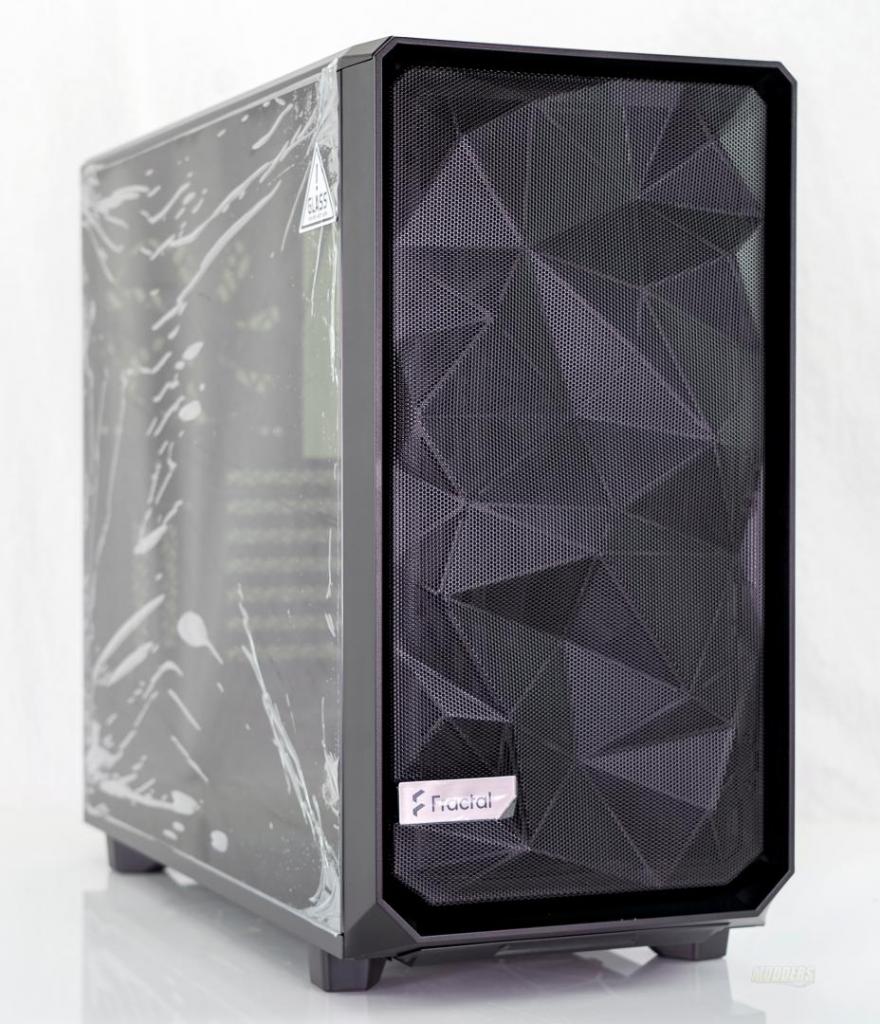
Meshify 2The Fractal Meshify 2 builds off of the core of the redesigned Define 7. Significant changes to the Meshify 2 set it apart from the previous Meshify case. Updates such as space for more hard drives, nylon dust filters, and a fully redesigned front panel based on community feedback are just some of the features that set the Meshify 2 apart from the Meshify S2. The Mesify 2 keeps the angular mesh front panel which helps ensure the components inside stay cool under load. Fractal has also dropped the letter designation from the name so, there is no more S2, etc. Just the Meshify 2. Time to dive in and see if the Meshify 2 can overtake the Meshify S2 as one of my all-time favorite cases to build in.


Review Sample Provided By: Fractal Design
Product Name and Website: Fractal Design Meshify 2
Product was given in exchange for work to produce review.


Packaging

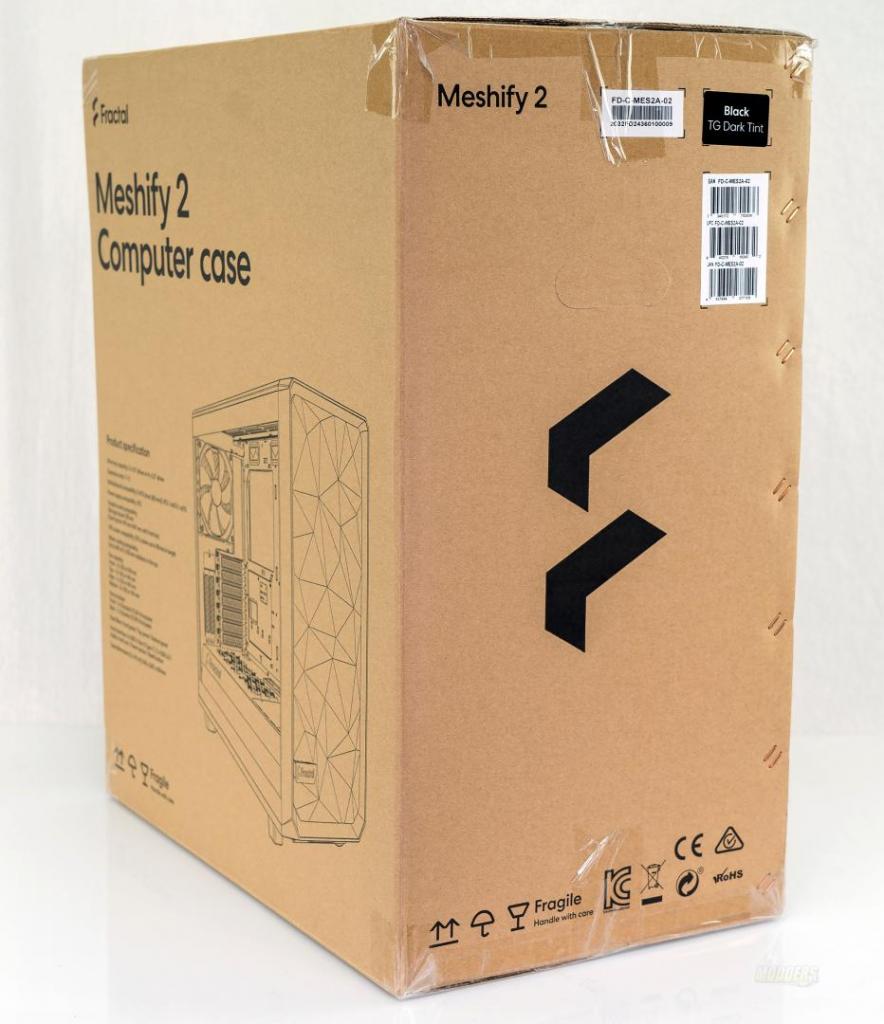
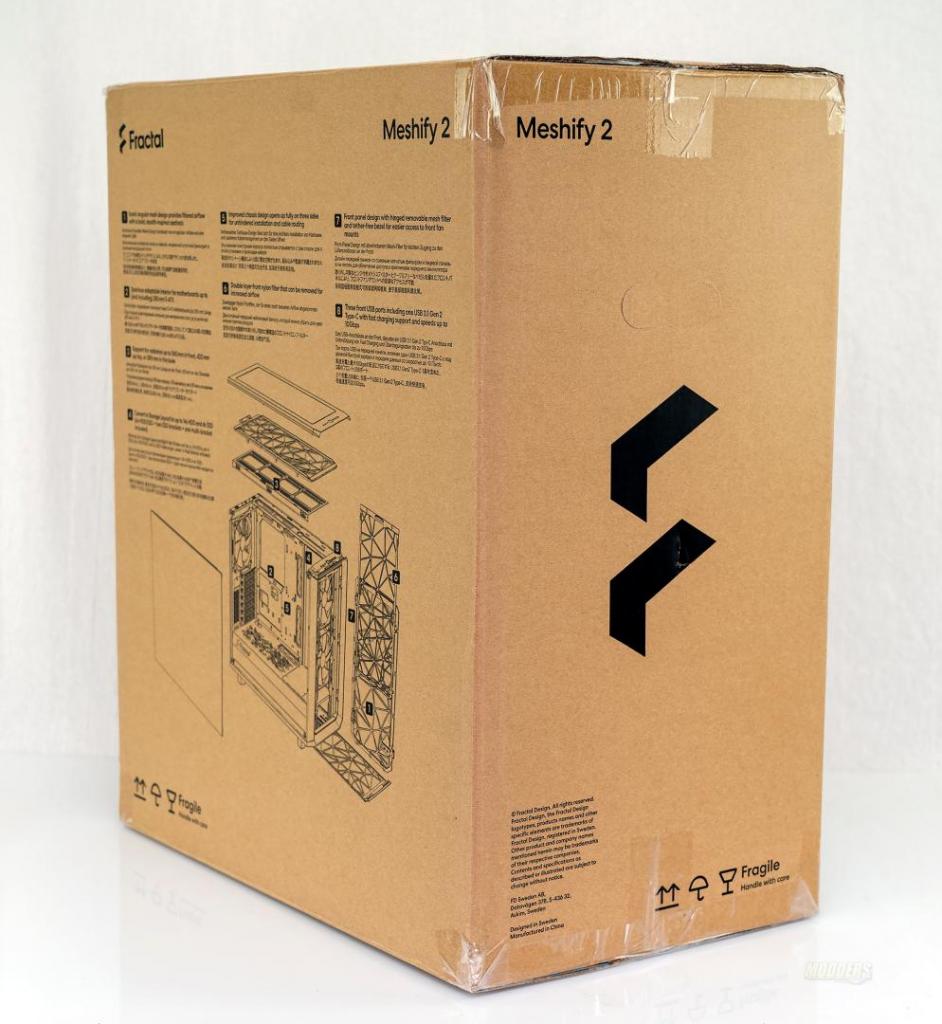
Like many of the Fractal cases, the Meshify 2 ships in a plain cardboard box. There is a bit of line art on the box that shows a general representation of the case on the front of the box and on the back of the box, there is an exploded diagram of the case as well as some of the features.
Meshify 2 Meshify 2


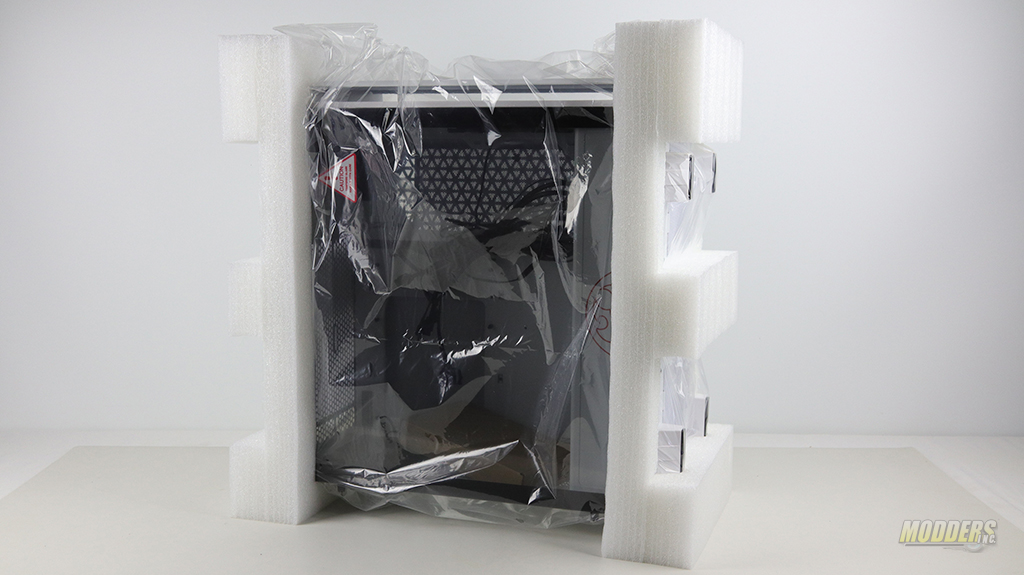
Internally, two thick foam ends support the case and protect it from damage during shipping. To ensure the finish is as Fractal intended it to be when you unwrap the case, the Meshify 2 is wrapped in a protective plastic bag.
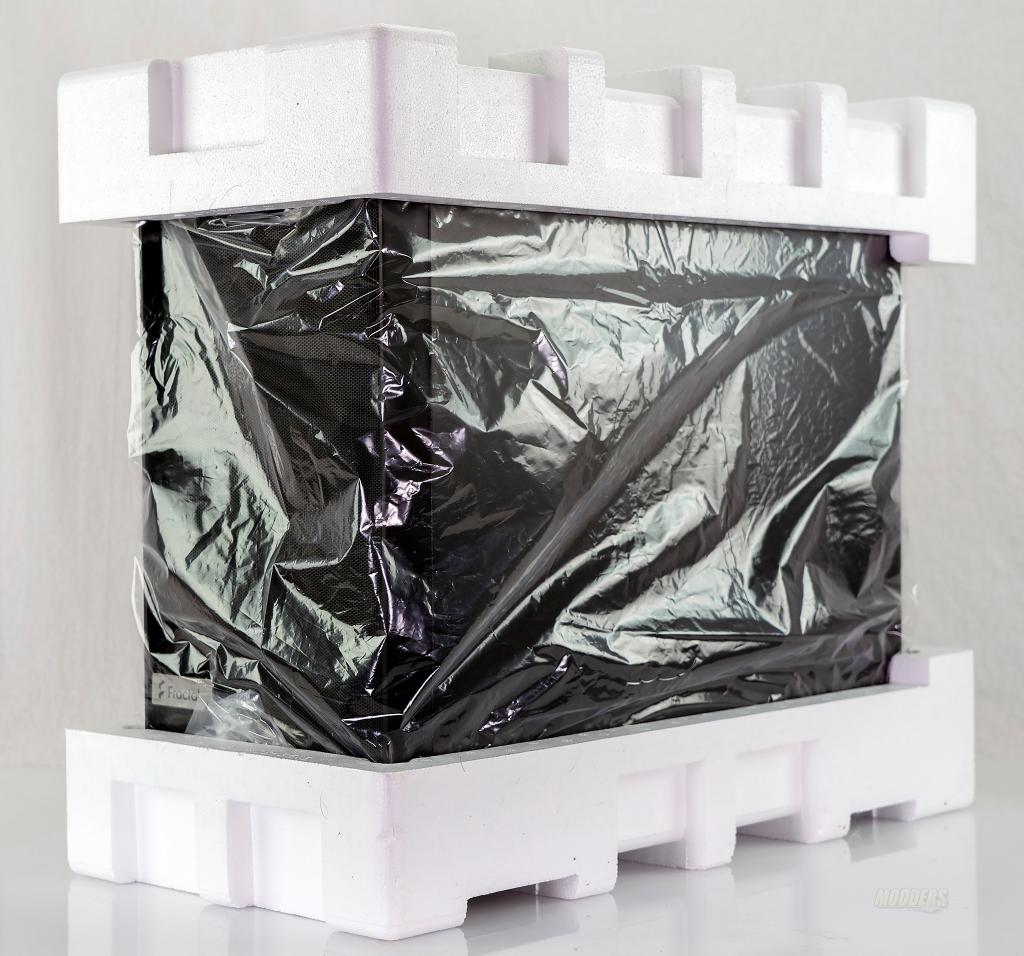
Meshify 2

The accessory kit ships with 4 hard drive mounts, a user guide, and an assortment of screws, standoffs, zip ties, and other miscellaneous items you’ll need to get the Meshify 2 assembled.
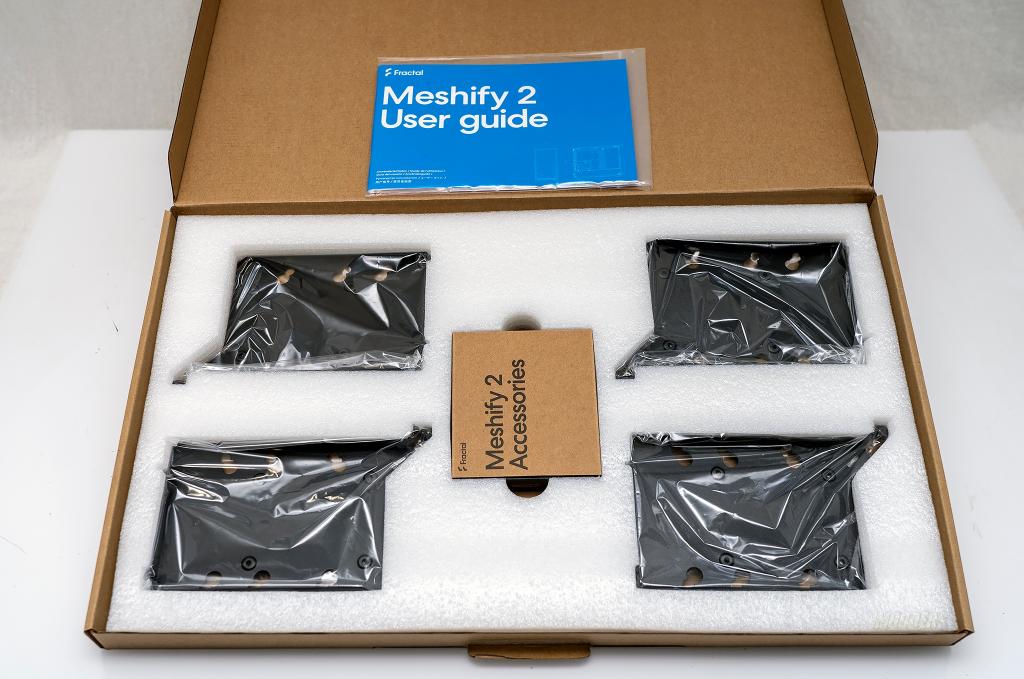
Meshify 2

Along with the Meshify 2, Fractal sent me their new vertical GPU mounting solution; the B-20 vertical riser bracket. The B-20 is sold separately from the Meshifiy 2. This is different from their previous riser as it includes a dual-slot bracket meant to sit inside the PCIe expansions slots. Take note, that if your case has the horizontal bars in the PCIe slots, this bracket will not work.
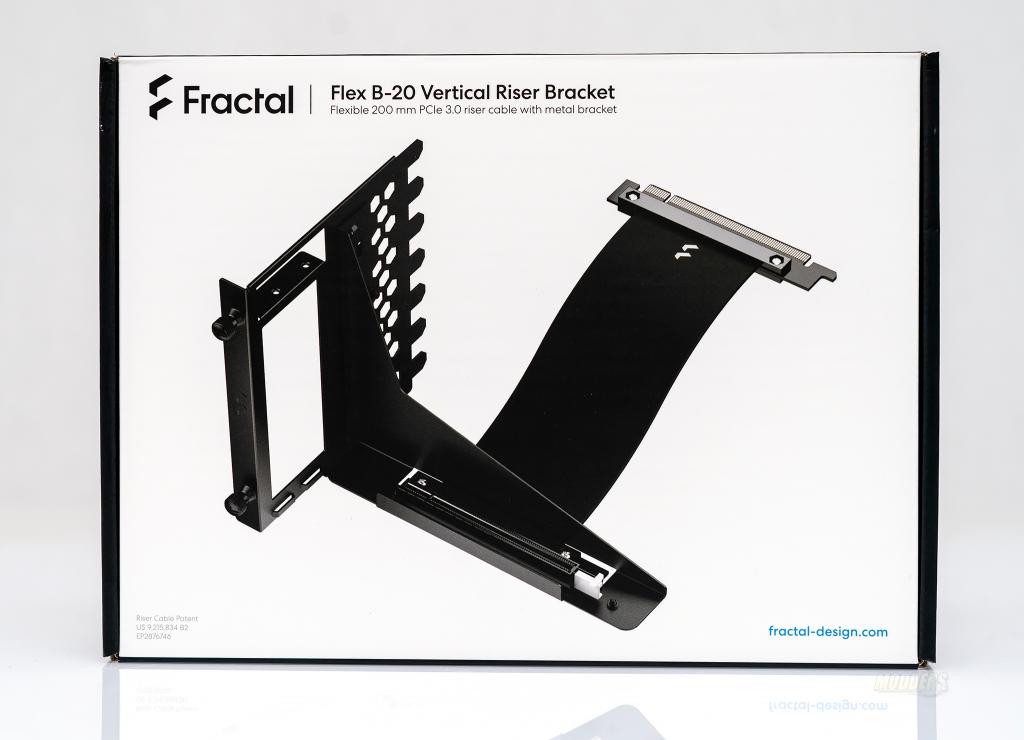
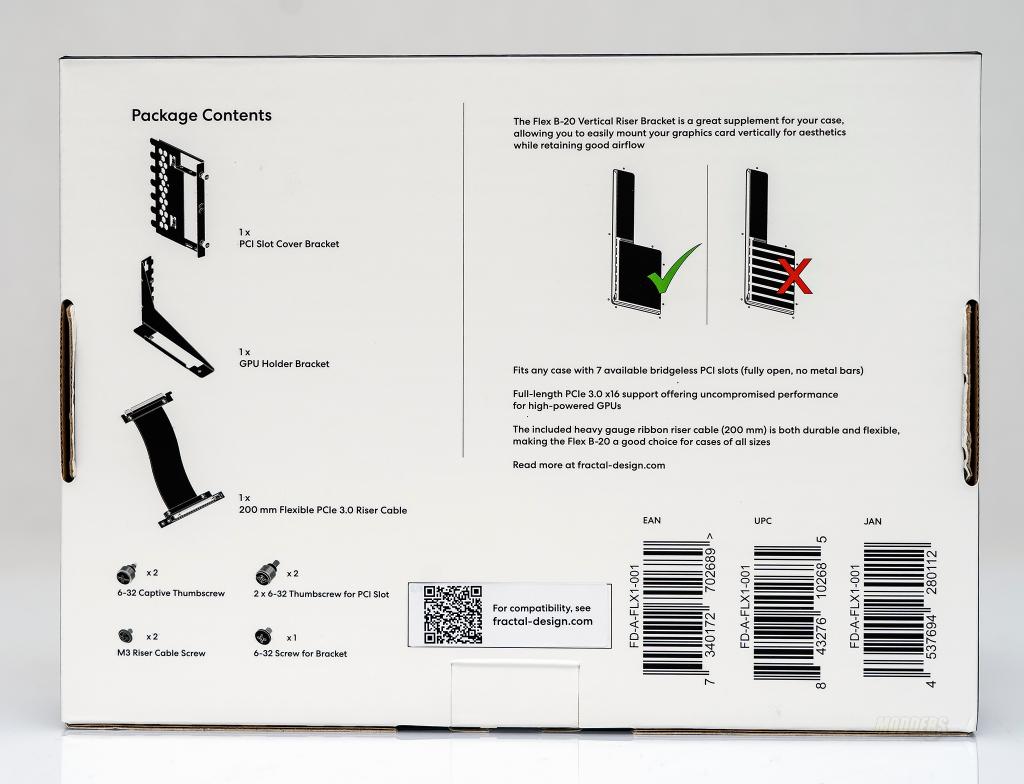
Meshify 2 Meshify 2

The B-20 Vertical bracket comes with everything you’ll need except the GPU to get it installed and there is some assembly required.
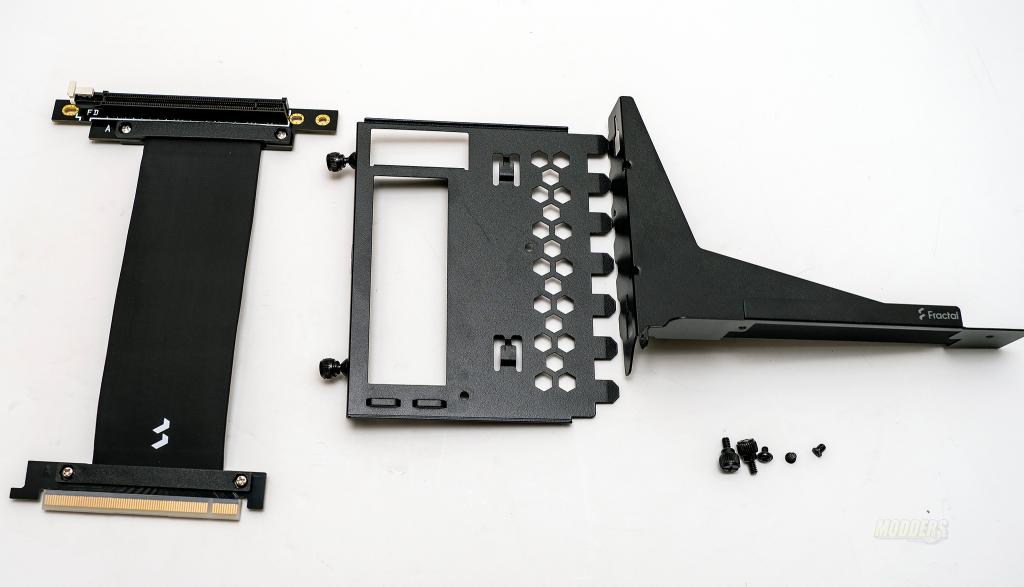
Meshify 2

Fractal Meshify 2 Specifications

3.5″/2.5″ drive mounts 6 included, 11 positions total (in storage layout) + 1 Multibracket
Dedicated 2.5″ mounts 2 included 4 positions total
5.25″ drive bays N/A
Expansion slots 7 (bridgeless) + 2 vertical
Motherboard compatibility E-ATX (max 285 mm) / ATX / mATX / ITX
Front interface Attached to chassis, separate from the bezel
1x USB 3.1 Gen 2 Type-C
2x USB 3.0
Audio I/O
Power/Reset buttons
Total fan mounts 9x 120/140 mm
Front fan 3x 120/140 mm
(2x 140 mm fans included)
Top fan 3x 120/140 mm
Rear fan 1x 120/140 mm
(1x 140 mm fan included)
Bottom fan 2x 120/140 mm
Dust filters Top (nylon, removable)
Front (nylon, fully removable)
Bottom (nylon, removable)
Front radiator Up to 360/280 mm
Top radiator Up to 360/420 mm
Rear radiator 120 mm
Bottom radiator Up to 240/280 mm
PSU shroud Full-length ventilated steel with a two-part removable inlay
PSU max length 250 mm (HDD cage in default position)
GPU max length 491 mm total
467 mm with front fan
315 mm in Storage Layout for cards over 150 mm width
(including power connectors)
CPU cooler max height 185 mm
Cable routing space 30 mm
Case dimensions (LxWxH) 542 x 240 x 474 mm
Case dimensions w/o feet/protrusions/screws 541 x 240 x 454 mm


from PC Hardware Reviews – Modders-Inc https://ift.tt/32zx35k
via IFTTT

Tuesday, 27 October 2020

NVIDIA 3070 Founders Edition Review

https://ift.tt/3ozBZjJ

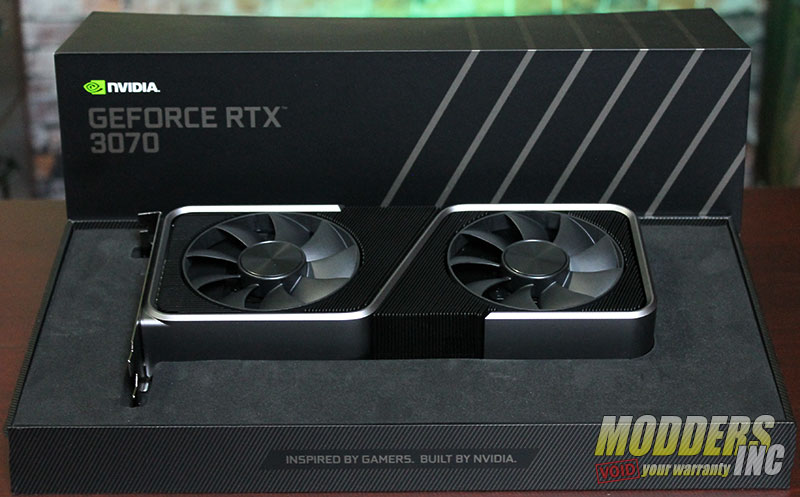
NVIDIA has released its newest graphics card, the NVIDIA RTX 3070 Founders Edition. Based on the current 3000 series card architecture we get a graphics card that is lower in price and lower in performance. With a suggested retail price of $499.00 USD, this makes the 3070 FE very affordable for almost everyone. But the biggest question is can it handle the workload or our demanding games we like to play. Can we crank up the graphics to the max and not have to worry about slow down? Make sure you watch the video for more insight into the NVIDIA RTX 3070 Founders Edition.

NVIDIA 3070 Founders Edition Review IMG 7084


NVIDIA 3070 Founders Edition Review IMG 7013

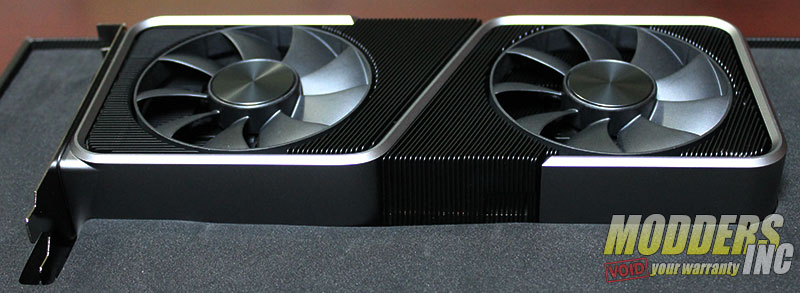
The NVIDIA 3070 FE has all the same visual features that the 3080 and 3090 Founders Edition graphics card have. The new bold style is quite different than what we have seen in the past. With a more refined and sleeker look, it kind of gives you the feeling that you are looking at a luxury vehicle.

NVIDIA 3070 Founders Edition Review IMG 7018

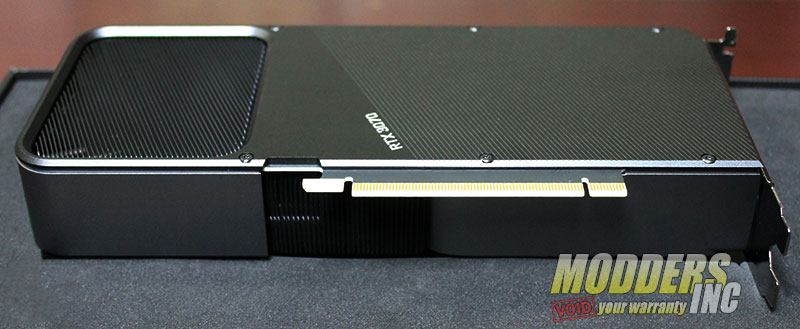
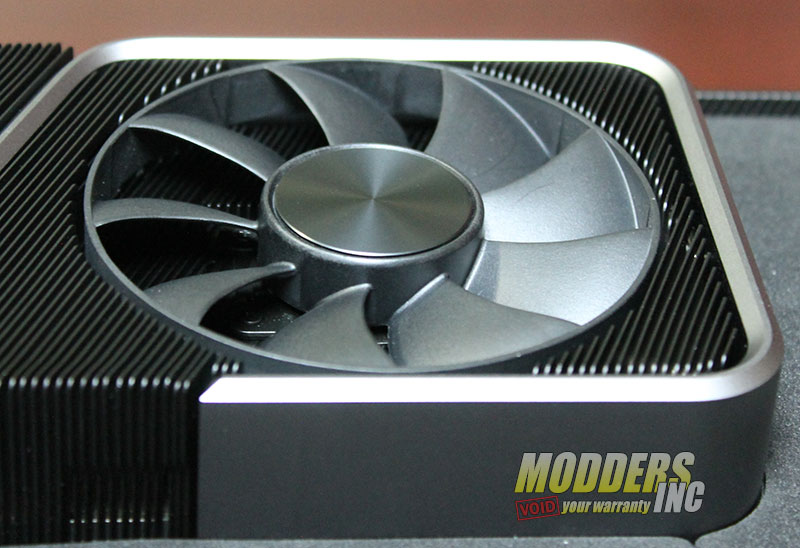
The top of the 3070 FE is just as sleek with a solid back cover over two-thirds of the card. The remainder of the card is taken up by a pass-thru cooling fan.

NVIDIA 3070 Founders Edition Review IMG 6993

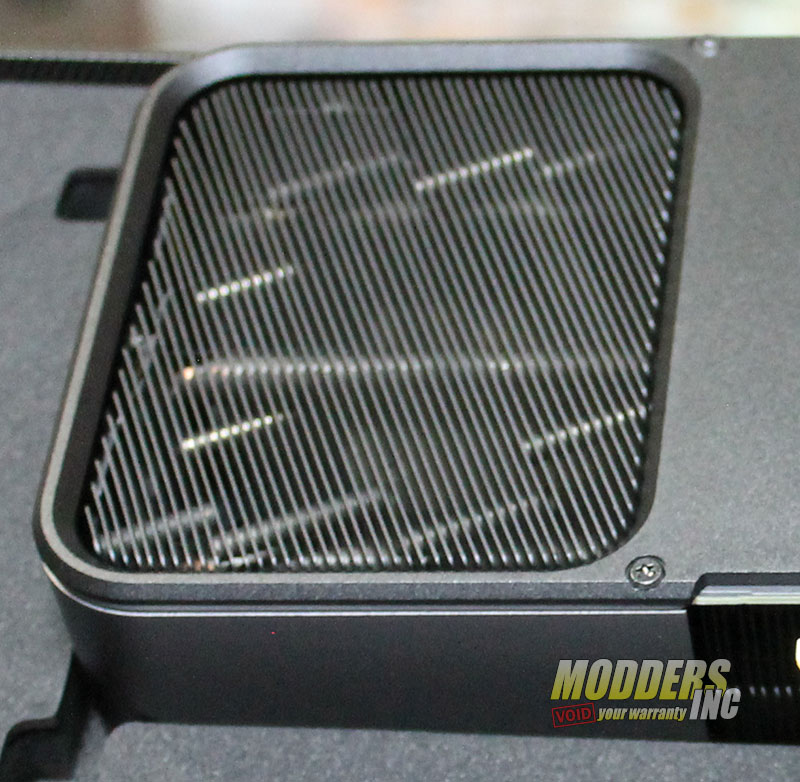
A closer look does show us that the air pass through the card and a good portion of the cooling heat pipes and fins. The air that does exit the card here will be pushed up towards the top of a PC case and should be helped along with the normal fans mounted at the top. Thus this will help minimize any warm air that could be sucked into an air cooler. If you are water cooling your CPU you have nothing to really worry about.


NVIDIA 3070 Founders Edition Review IMG 7008

This the other side of the pass-through fan that is located at the right side of the 3070 FE

NVIDIA 3070 Founders Edition Review IMG 7011

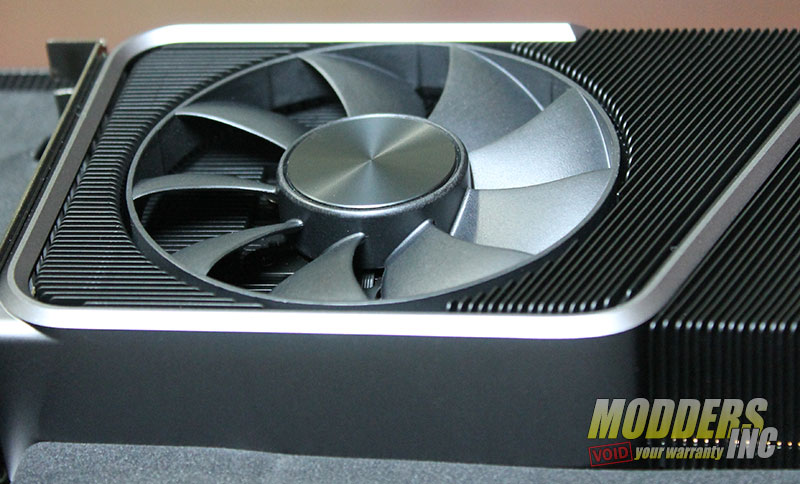
The fan located on the left side of the card is identical to the other one, but this cooling fan does the normal job of pushing the air out through the card and exit out the rear where the video connections are located. The RTX 3070 flow-through system is up to 16dBA quieter and has a 44% higher thermal performance than the RTX 2070 Founders Edition.


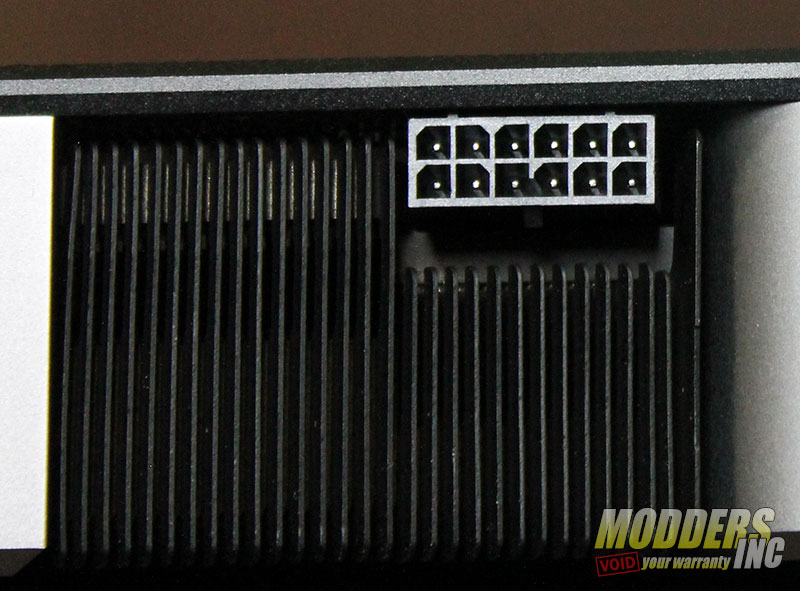
NVIDIA 3070 Founders Edition Review IMG 7006Like the 3080 and 3090 FE card, the 3070 Founders Edition also uses the new 12 pin connector to power the card. But unlike the larger FE cards, this unit only requires 220 watts of power which not that much more than a 2070 but way less than the power-hungry 3090. We can also see some cooling vents, which are located in the middle of the card along with the 12 pin power connector


NVIDIA 3070 Founders Edition Review IMG 7002

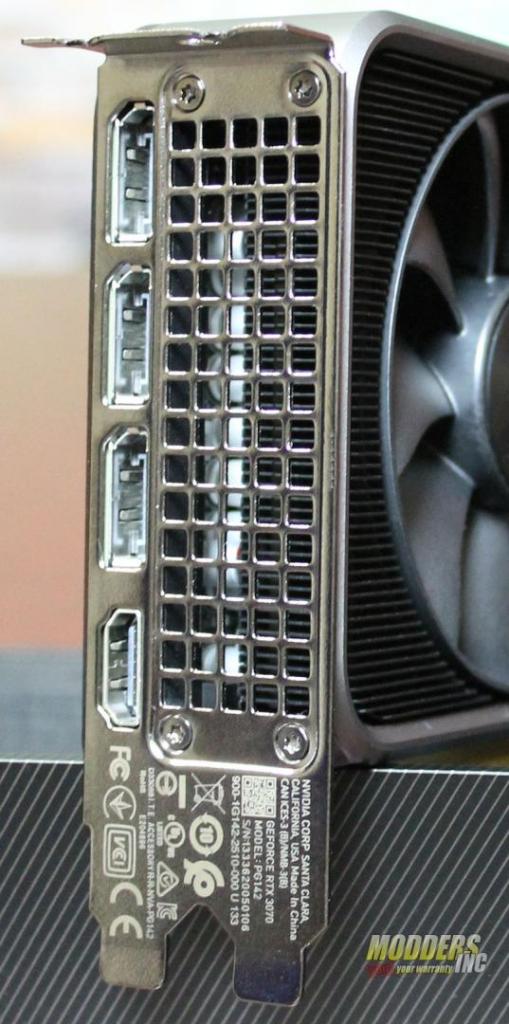
Connections to the NVIDIA 3070 FE is pretty normal with a single HDMI and three display ports. But the HDMI 2.1 — GeForce RTX 3070 GPUs (and all of the 3000 series cards) are the first available to feature HDMI 2.1 support with support for 4K@120Hz (4K120). HDMI 2.1 increases total bandwidth over HDMI 2.0b from 18Gigabits/sec to 48 and adds support for high-dynamic-range (HDR) supporting brighter images with higher contrast and more vibrant colors with better shadows and highlights.


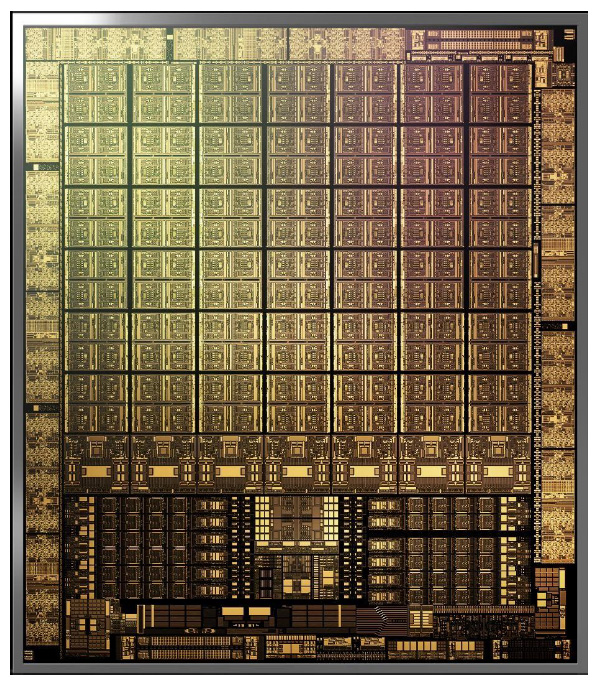
NVIDIA 3070 Founders Edition Review AmpereChip

The NVIDIA Ampere architecture Streaming Multiprocessor (SM) is the building block of the GPU, and it’s full of different Cores and Units and memory. One of the big changes in the NVIDIA Ampere architecture SM is with a 32-bit floating-point (FP32) throughput. NVIDIA designed a new datapath for FP32 and INT32 operations, which results in all four partitions combined executing 128 FP32 operations per clock. Does this help gaming? Yes. Graphics and compute operations and algorithms rely on FP32 executions, and so do modern shader workloads. Ray tracing denoising shaders benefit from FP32 speedups, too. The heavier the ray tracing rendering workload, the bigger the performance gains relative to the previous generation.


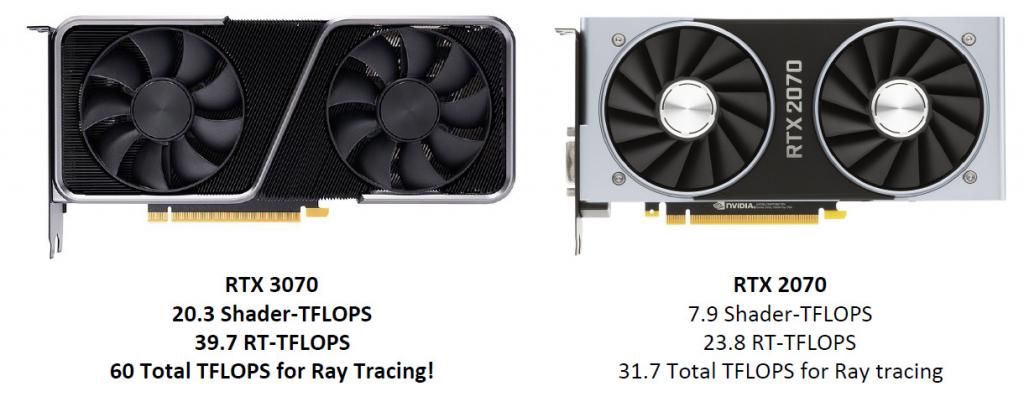
Let’s look at the numbers: RTX 3070 has 5888 CUDA cores—over twice the CUDA cores that the RTX 2070 has. It delivers 20.3 TFLOPs of shader performance plus dedicated RT Cores with the equivalent 39.7 TFLOPs of performance, for a total of 60 effective TFLOPs of performance while ray tracing.

NVIDIA 3070 Founders Edition Review compare3070 to 2070


GPU GeForce RTX 2070 (Founders Edition) GeForce RTX 3070 (Founders Edition)
SMs 36 46
CUDA Cores  2304 5888
Tensor Cores 288 (2nd Generation) 184 (3rd Generation)
RT Cores 36 (1st Generation) 46 (2nd Generation)
Texture Units 144 184
ROPs 64 96
GPU Boost Clock 1710 MHz 1725 MHz
Memory Clock  7000 MHz 7000 MHz
Total Video Memory  8192 MB GDDR6 8192 MB GDDR6
Memory Interface 256-bit 256-bit
Memory Bandwidth  448 GB/s  448 GB/s
TGP 185 Watts 220 Watts


from PC Hardware Reviews – Modders-Inc https://ift.tt/2HECxEc
via IFTTT

Tuesday, 20 October 2020

ASRock B550 Extreme4 Motherboard Review

https://ift.tt/2HhfRtJ

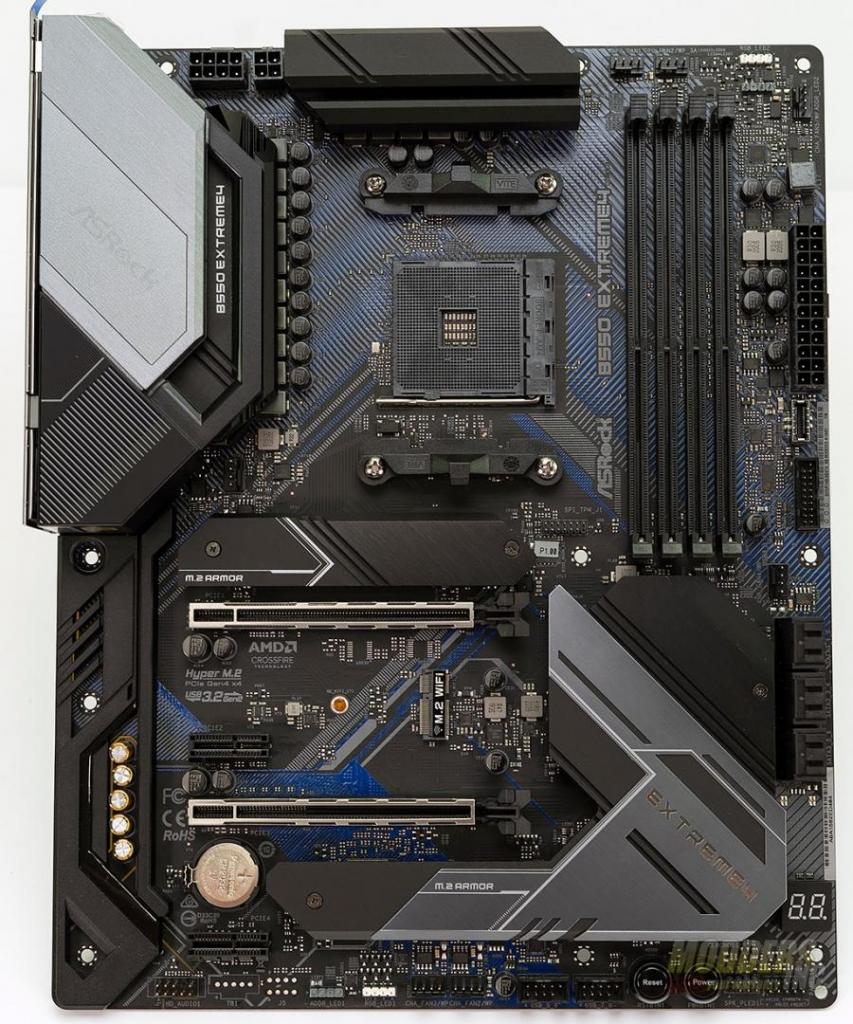
B550-Extreme4The B550 Chipset from AMD is the mainstream chipset whereas the X570 is the high-end or enthusiast chipset. ASRock like many other manufactures has released a slew of B550 motherboards in all sizes and price ranges and as I am wrapping up my B550 reviews, they sent over the ASRock B550 Extreme4. The ASRock B550 Extreme4 is a full-size ATX motherboard featuring some of the latest innovations from ASRock. Interestingly, the B550 color scheme is not the standard black or green PCB and added a bit of color to it that flows well with the color of the heatsinks and other accessories on the board. Aside from the B550 chipset, the motherboard includes a 2.5 gigabit network adapter, USB 3 Gen2 ports, 14 phase power delivery with 50A Dr.MOS as well as supporting up to 4733+ MHz memory speeds and continues with their PolyChrome RGB. On paper, the ASRock B550 Extreme4 sounds pretty good so, let’s get into it and see if it is really as good as it claims to be.


Review Sample Provided By: ASRock
Product Name and Website: ASRock B550 Extreme4 Motherboard
Product was given in exchange for work to produce review.


Packaging

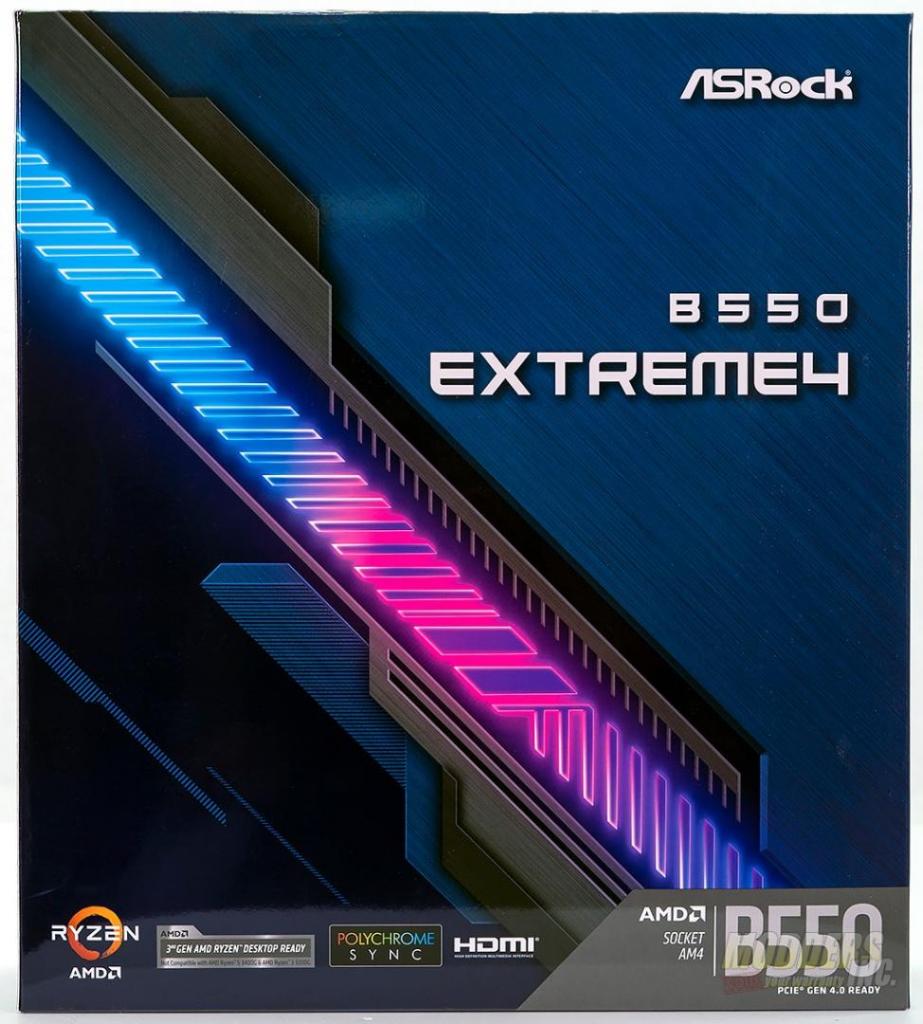
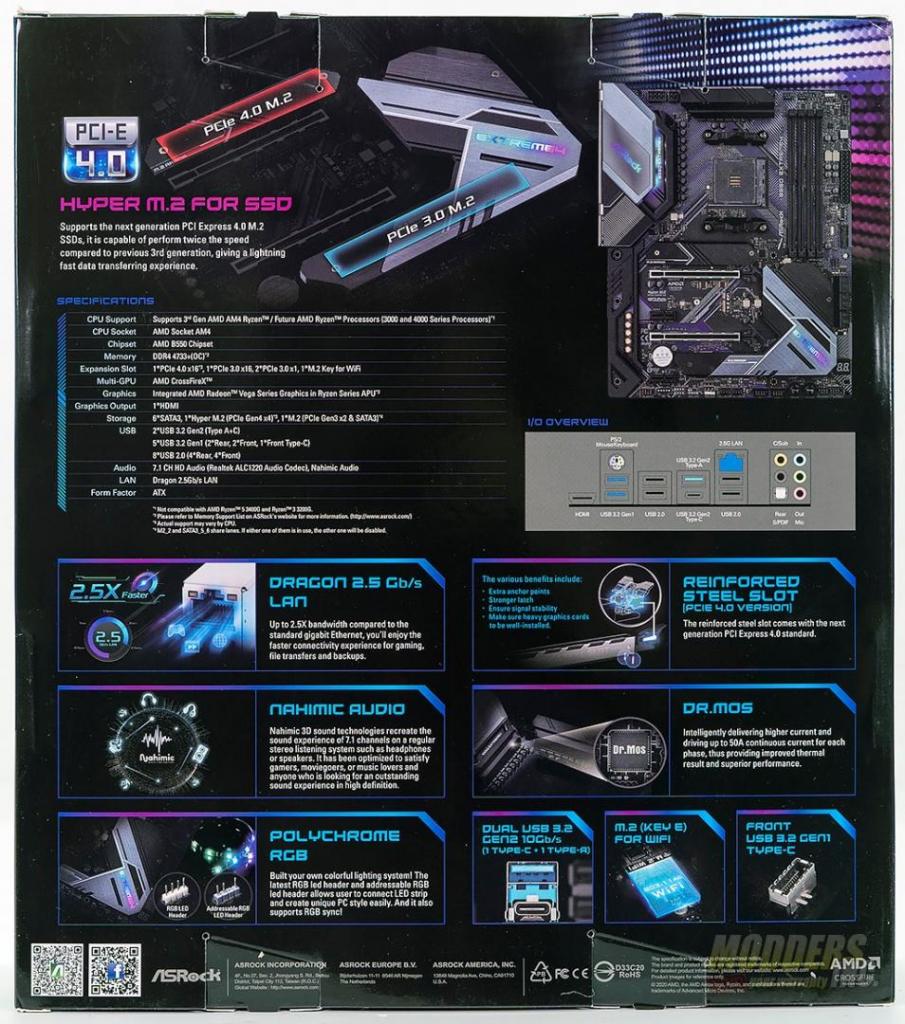
ASRock’s packaging has always been colorful and artistic. This helps the manufacture’s products stand out from one another when placed on a shelf at the brick and mortar stores. On the front side of the box, there is blue and pink line ard with the product name in large letters. Moving to the back of the box, ASRock lists out the specifications for the B550 Extreme4. Also included on the back is a clear graphic for which M.2 slot supports PCIe 4.0 and which is PCIe 3.0. There is another graphic showing the included connection type on the motherboards I/O panel and finally, ASRock goes into some of the details on the included features of the motherboard.

B550-Extreme4 B550-Extreme4


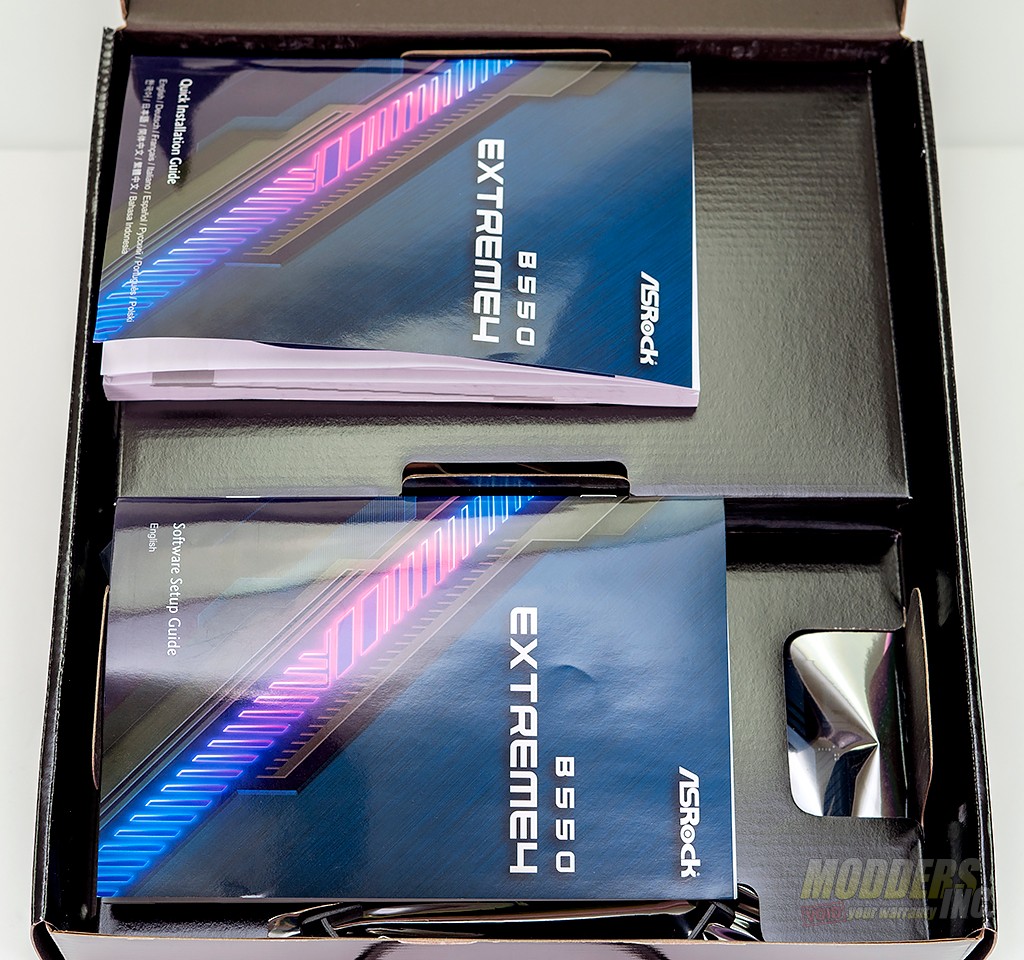
Once you’ve opened the box, you’ll be presented with a dual-chamber interior. The upper chamber contains the documentation for the motherboard. In this case, a quick installation guide and software set up guide are included.
B550-Extreme4


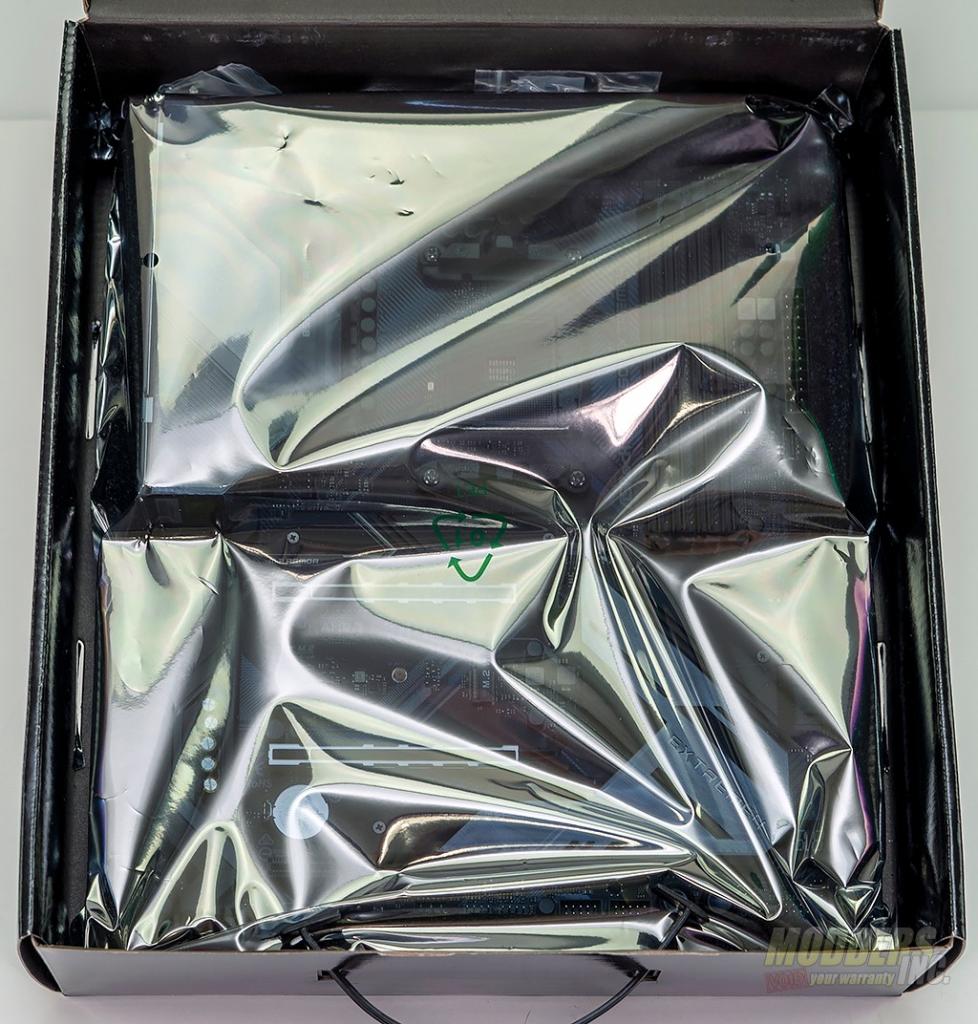
The lower chamber contains the motherboard which is wrapped in an antistatic bag with the installation accessories housed below it.
B550-Extreme4


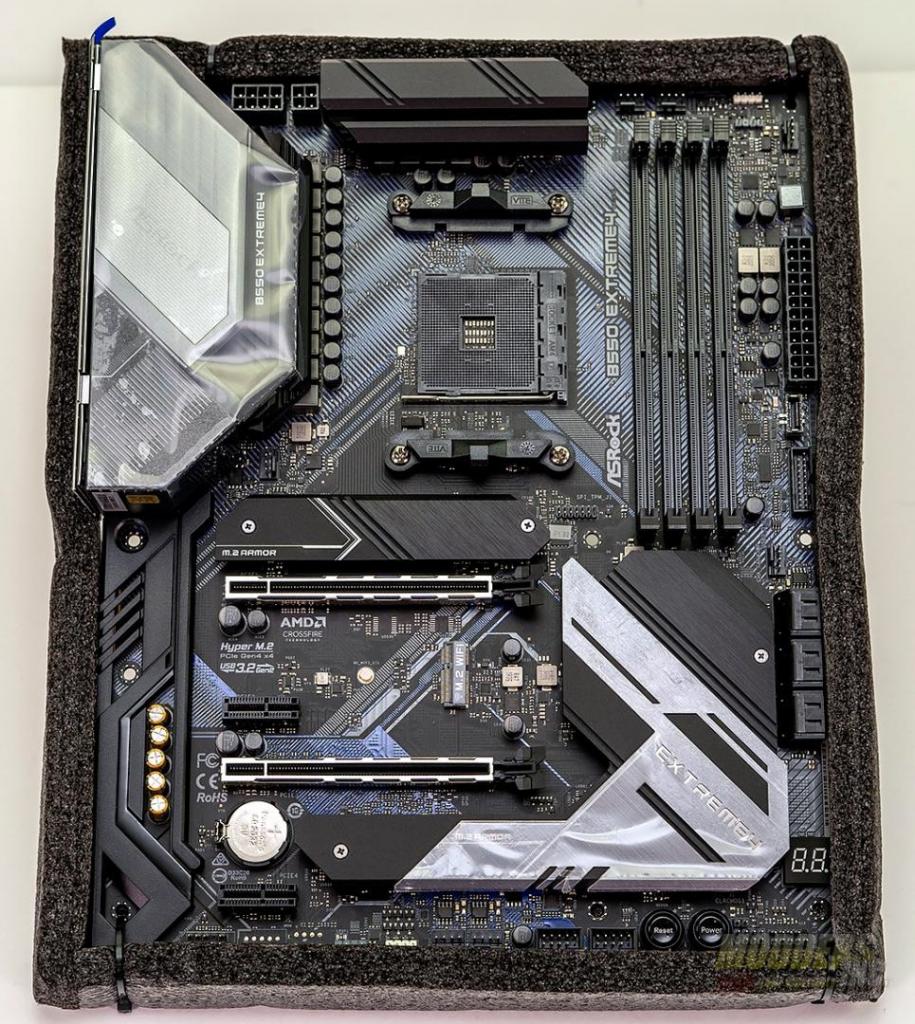
ASRock Zip-tied the motherboard to the foam insert at all four corner holes. Not that it matters all that much, but I thought it was strange enough that it’s worth mentioning.
B550-Extreme4


CPU – Supports 3rd Gen AMD AM4 Ryzen™ / future AMD Ryzen™ Processors*
– Digi Power design
– 14 Power Phase design
*Not compatible with AMD Ryzen™ 5 3400G and Ryzen™ 3 3200G.
Chipset – AMD B550
Memory – Dual Channel DDR4 Memory Technology
– 4 x DDR4 DIMM Slots
– AMD Ryzen series CPUs (Matisse) support DDR4 4733+(OC) / 4666(OC) / 4600(OC) / 4533(OC) / 4466(OC) / 4400(OC) / 4333(OC) / 4266(OC) / 4200(OC) / 4133(OC) / 4000(OC) / 3866(OC) / 3800(OC) / 3733(OC) / 3600(OC) / 3466(OC) / 3200 / 2933 / 2667 / 2400 / 2133 ECC & non-ECC, un-buffered memory*
– AMD Ryzen series APUs (Renoir) support DDR4 4733+(OC) / 4666(OC) / 4600(OC) / 4533(OC) / 4466(OC) / 4400(OC) / 4333(OC) / 4266(OC) / 4200(OC) / 4133(OC) / 4000(OC) / 3866(OC) / 3800(OC) / 3733(OC) / 3600(OC) / 3466(OC) / 3200 / 2933 / 2667 / 2400 / 2133 ECC & non-ECC, un-buffered memory*
– Max. capacity of system memory: 128GB**
– Supports Extreme Memory Profile (XMP) memory modules
– 15μ Gold Contact in DIMM Slots
BIOS – 256Mb AMI UEFI Legal BIOS with GUI support
– Supports “Plug and Play”
– ACPI 5.1 compliance wake up events
– Supports jumperfree
– SMBIOS 2.3 support
– CPU, CPU VDDCR_SOC, DRAM, VPPM, VTT_DDR Offset, CPU VDD 1.8 Voltage Multi-adjustment
Graphics – Integrated AMD Radeon Vega Series Graphics in Ryzen Series APU*
– DirectX 12, Pixel Shader 5.0
– Shared memory default 2GB. Max Shared memory supports up to 16GB.**
– Supports HDMI 2.1 with max. resolution up to 4K x 2K (4096×2160) @ 60Hz
– Supports Auto Lip Sync, Deep Color (12bpc), xvYCC, and HBR (High Bit Rate Audio) with HDMI 2.1 Port (Compliant HDMI monitor is required)
– Supports HDR (High Dynamic Range) with HDMI 2.1
– Supports HDCP 2.3 with HDMI 2.1 Port
– Supports 4K Ultra HD (UHD) playback with HDMI 2.1 Port
– Supports Microsoft® PlayReady
Audio – 7.1 CH HD Audio with Content Protection (Realtek ALC1220 Audio Codec)
– Premium Blu-ray Audio support
– Supports Surge Protection
– 120dB SNR DAC with Differential Amplifier
– NE5532 Premium Headset Amplifier for Front Panel Audio Connector (Supports up to 600 Ohm headsets)
– Pure Power-In
– Direct Drive Technology
– PCB Isolate Shielding
– Impedance Sensing on Rear Out Port
– Individual PCB Layers for R/L Audio Channel
– Gold Audio Jacks
– 15μ Gold Audio Connector
– Nahimic Audio
LAN – 2.5 Gigabit LAN 10/100/1000/2500 Mb/s
– Dragon RTL8125BG
– Supports Dragon 2.5G LAN Software
– Smart Auto Adjust Bandwidth Control
– Visual User-Friendly UI
– Visual Network Usage Statistics
– Optimized Default Setting for Game, Browser, and Streaming Modes
– User Customized Priority Control
– Supports Wake-On-LAN
– Supports Lightning/ESD Protection
– Supports Energy Efficient Ethernet 802.3az
– Supports PXE
Slots AMD Ryzen series CPUs (Matisse)
– 2 x PCI Express x16 Slots (PCIE1: Gen4x16 mode; PCIE3: Gen3 x4 mode)*
AMD Ryzen series APUs (Renoir)
– 2 x PCI Express x16 Slots (PCIE1: Gen3x16 mode; PCIE3: Gen3 x4 mode)*- 2 x PCI Express 3.0 x1 Slots
– Supports AMD Quad CrossFireX™ and CrossFireX™
– 1 x M.2 Socket (Key E), supports type 2230 WiFi/BT module
– 15μ Gold Contact in VGA PCIe Slot (PCIE1)
Storage – 6 x SATA3 6.0 Gb/s Connectors, support RAID (RAID 0, RAID 1 and RAID 10), NCQ, AHCI, and Hot Plug*
– 1 x Hyper M.2 Socket (M2_1), supports M Key type 2230/2242/2260/2280 M.2 PCI Express module up to Gen4x4 (64 Gb/s) (with Matisse) or Gen3x4 (32 Gb/s) (with Renoir)**
– 1 x M.2 Socket (M2_2), supports M Key type 2230/2242/2260/2280/22110 M.2 SATA3 6.0 Gb/s module and M.2 PCI Express module up to Gen3 x2 (16 Gb/s)**
Connector – 1 x SPI TPM Header
– 1 x Power LED and Speaker Header
– 2 x RGB LED Headers*
– 2 x Addressable LED Headers**
– 1 x CPU Fan Connector (4-pin)***
– 1 x CPU/Water Pump Fan Connector (4-pin) (Smart Fan Speed Control)****
– 5 x Chassis/Water Pump Fan Connectors (4-pin) (Smart Fan Speed Control)*****
– 1 x 24 pin ATX Power Connector (Hi-Density Power Connector)
– 1 x 8 pin 12V Power Connector (Hi-Density Power Connector)
– 1 x 4 pin 12V Power Connector (Hi-Density Power Connector)
– 1 x Front Panel Audio Connector (15μ Gold Audio Connector)
– 2 x USB 2.0 Headers (Support 4 USB 2.0 ports) (Supports ESD Protection)
– 1 x USB 3.2 Gen1 Header (Supports 2 USB 3.2 Gen1 ports) (Supports ESD Protection)
– 1 x Front Panel Type C USB 3.2 Gen1 Header (Supports ESD Protection)
– 1 x Dr. Debug with LED
– 1 x Power Button with LED
– 1 x Reset Button with LED
Rear Panel I/O – 2 x Antenna Mounting Points
– 1 x PS/2 Mouse/Keyboard Port
– 1 x HDMI Port
– 1 x Optical SPDIF Out Port
– 1 x USB 3.2 Gen2 Type-A Port (10 Gb/s) (Supports ESD Protection)
– 1 x USB 3.2 Gen2 Type-C Port (10 Gb/s) (Supports ESD Protection)
– 2 x USB 3.2 Gen1 Ports (Supports ESD Protection)
– 4 x USB 2.0 Ports (Supports ESD Protection)*
– 1 x RJ-45 LAN Port with LED (ACT/LINK LED and SPEED LED)
– HD Audio Jacks: Rear Speaker / Central / Bass / Line in / Front Speaker / Microphone (Gold Audio Jacks)
Software and UEFI Software
– ASRock Motherboard Utility (A-Tuning)
– ASRock Dragon 2.5G LAN Software
– ASRock Polychrome SYNC*
UEFI
– ASRock Full HD UEFI
– ASRock Instant Flash
Support CD – Drivers, Utilities, AntiVirus Software (Trial Version), Google Chrome Browser and Toolbar
Accessories – Quick Installation Guide, Support CD
– 4 x SATA Data Cables
– 3 x Screws for M.2 Sockets
– 2 x Standoffs for M.2 Sockets
Hardware Monitor – Temperature Sensing: CPU, CPU/Water Pump, Chassis/Water Pump Fans
– Fan Tachometer: CPU, CPU/Water Pump, Chassis/Water Pump Fans
– Quiet Fan (Auto adjust the chassis fan speed by CPU temperature): CPU, CPU/Water Pump, Chassis/Water Pump Fans
– Fan Multi-Speed Control: CPU, CPU/Water Pump, Chassis/Water Pump Fans
– Voltage monitoring: +12V, +5V, +3.3V, CPU Vcore, CPU VDDCR_SOC, DRAM, VPPM, CPU VDD 1.8V
Form Factor – ATX Form Factor: 12.0-in x 9.6-in, 30.5 cm x 24.4 cm
– 2oz Copper PCB
OS – Microsoft® Windows® 10 64-bit
Certifications – FCC, CE
– ERP/EuP ready (ErP/EuP ready power supply is required)


from PC Hardware Reviews – Modders-Inc https://ift.tt/31rLg3t
via IFTTT
Thursday, 8 October 2020

Cooler Master Masterliquid ML280 Mirror AIO

https://ift.tt/33DV1gz

With the ever-growing list of All-In-One (AIO) CPU coolers to choose from it has almost come down to two things that you look at when making your purchase. These two factors are Options and Price. The Cooler Master Masterliquid ML280 Mirror just might fit both of those. Of course, I can hear you saying “I buy for cooling performance!” as do a lot of people, but most AIO cooling solutions are pretty darn close to each in this category. That is why I think that the average person is looking at, does it look cool, and how much it will cost me.  Be sure to watch the video to get all the option info and details on performance.

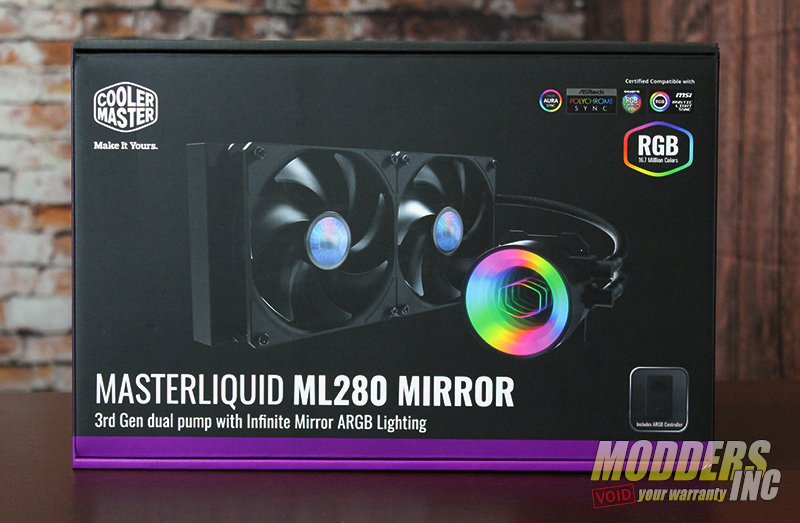
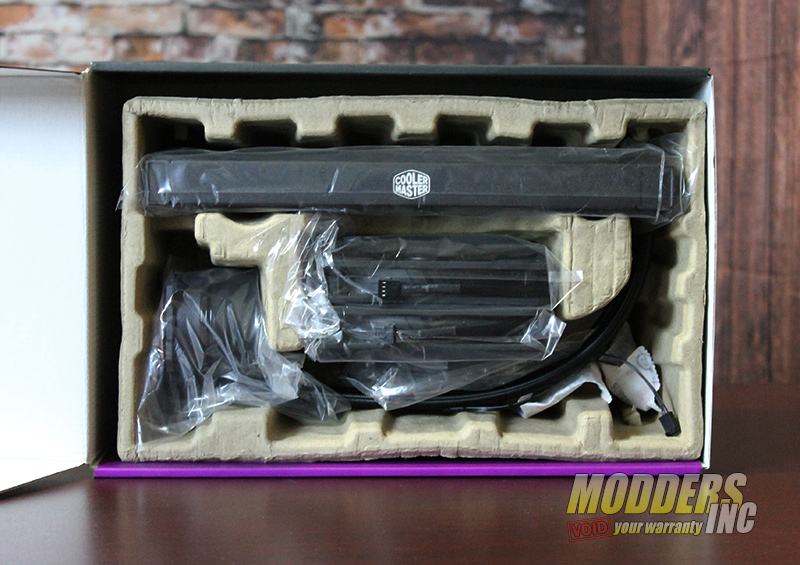
Cooler Master Masterliquid ML280 Mirror AIO CoolerMasterML280Mirror 1 Cooler Master Masterliquid ML280 Mirror AIO CoolerMasterML280Mirror 2


A closer look at the Cooler Master Masterliquid ML280

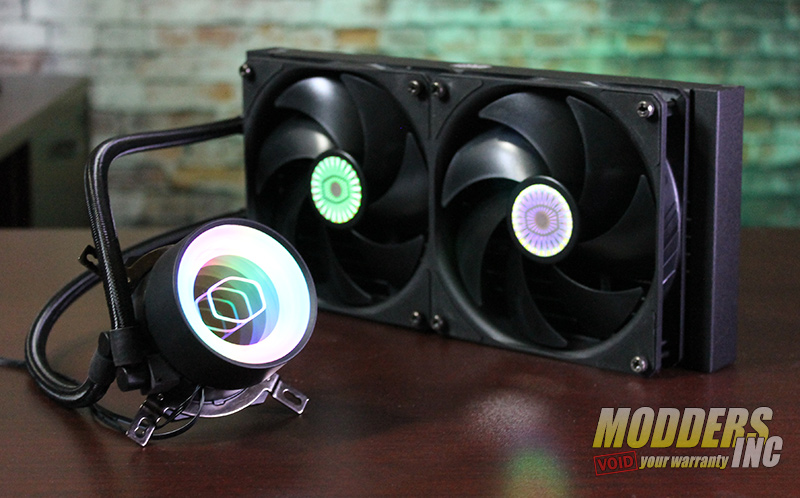
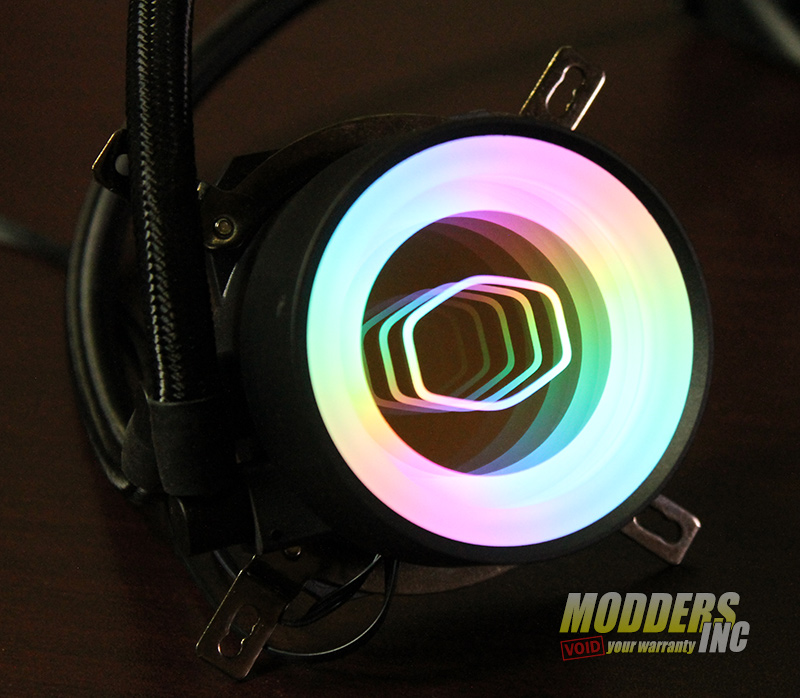
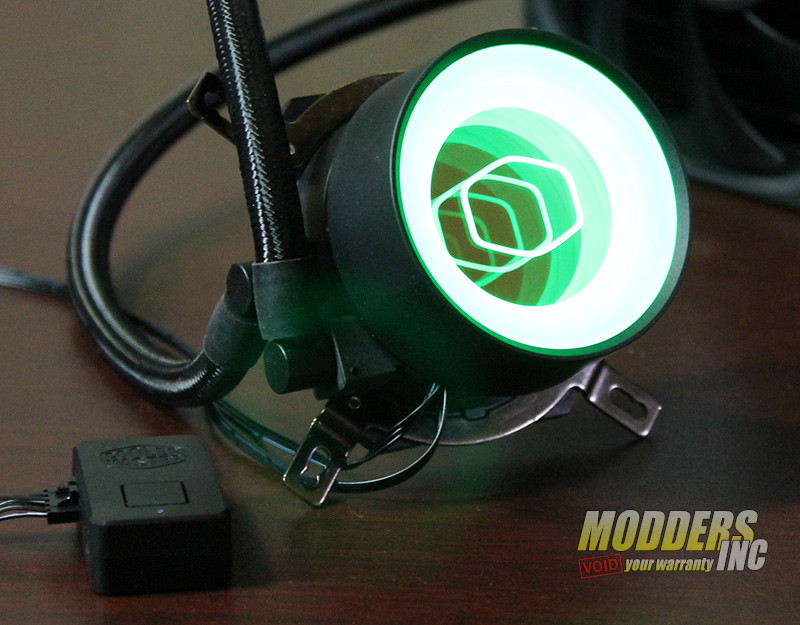
Out of the package and just a few moments to install the fans and to power it up we can see that the Cooler Master ML280 (which also has siblings of the 240 and 360 size in the Mirror family) is your basic AIO setup and is matte black in color. So why is it called Mirror you ask, I shall tell you. On the top of the pump assembly, Cooler Master has put an Infinity Mirror with ARBG lighting to make it different from the AIO crowd.

Cooler Master Masterliquid ML280 Mirror AIO CoolerMasterML280Mirror 3 Cooler Master Masterliquid ML280 Mirror AIO CoolerMasterML280Mirror 4


A really nice option/feature Cooler Master did with the ML280 Mirror is a separate controller for the ARGB lighting. Just in case you do not have one of the compatible ARGB motherboards with their software (ASUS, ASRock, MSI) you can still control and cycle through some lighting effects. The first lighting option is the default rainbow lighting glow. As you push the button on the separate controller you can get a pulsing effect that will cycle the available colors. If that is not your style you can also do static lighting. The video review displays all the lighting options, so go take a look.

Cooler Master Masterliquid ML280 Mirror AIO CoolerMasterML280Mirror 7


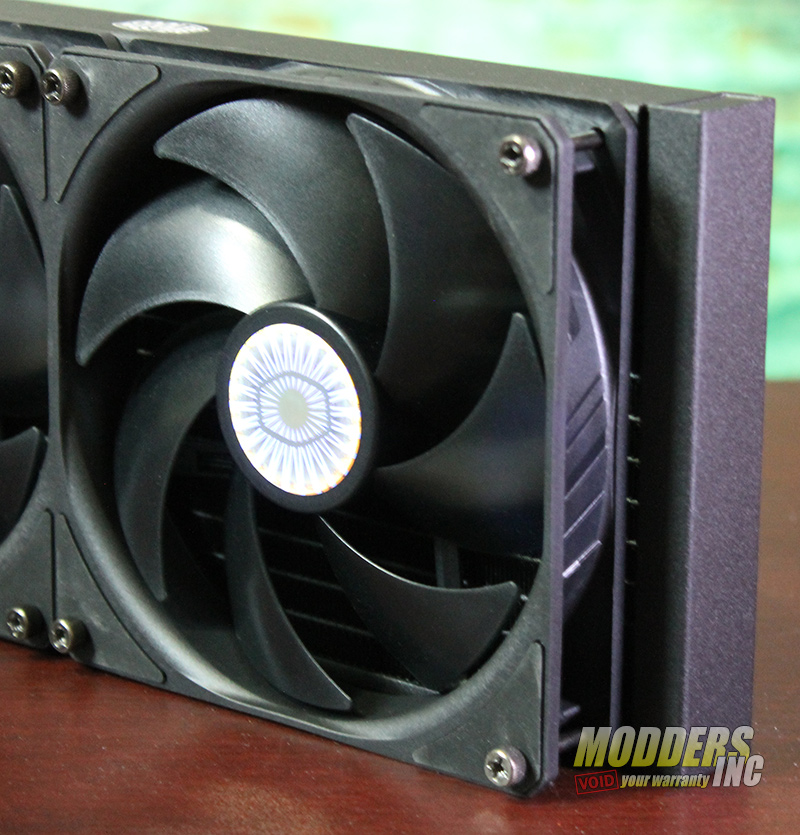
Non LED 140mm fans are used on the radiator to remove the heat. These fans are the SickleFlow with a new blade design, enhanced fan frame, and sealed bearing structure. Fan speeds are between – 650-1400 RPM ± 5% with an airflow – 67 CFM, (Max)fan noise is 27 dBA, and the all-important fan pressure (static pressure) of 2.25 mmH₂O. With the low RPM and good static pressure, you can get maximum cooling at a low noise cost.

Cooler Master Masterliquid ML280 Mirror AIO CoolerMasterML280Mirror 5


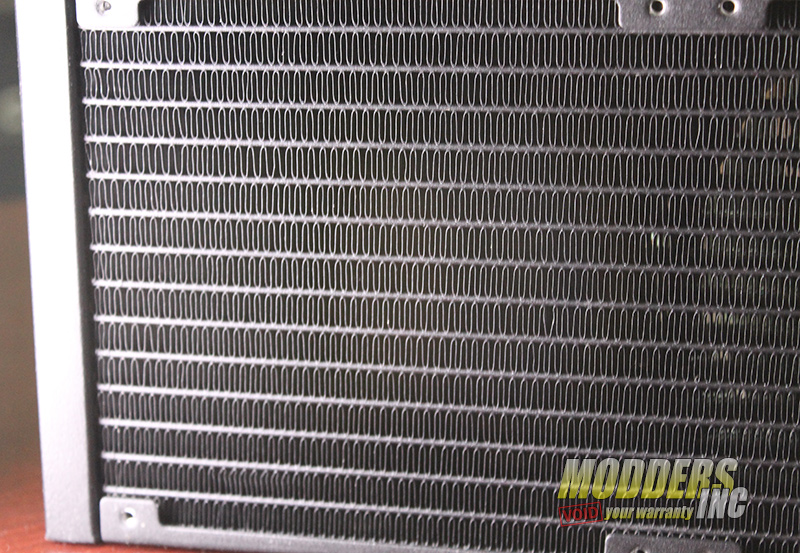
Size matters when it comes to performance so using a 280mm radiator will automatically give you better performance when removing the heat from the liquid. But apparently that was not good enough for Cooler Masset as they increased the 280mm radiator surface by 25% which means more cooling performance with less effort. Even after doing this, there is still a nice gap between the cooling fins to allow the air to easily pass-through. Cooler Master Masterliquid ML280 Mirror AIO CoolerMasterML280Mirror 6


Performance of the Cooler Master Masterliquid ML280 Mirror AIO

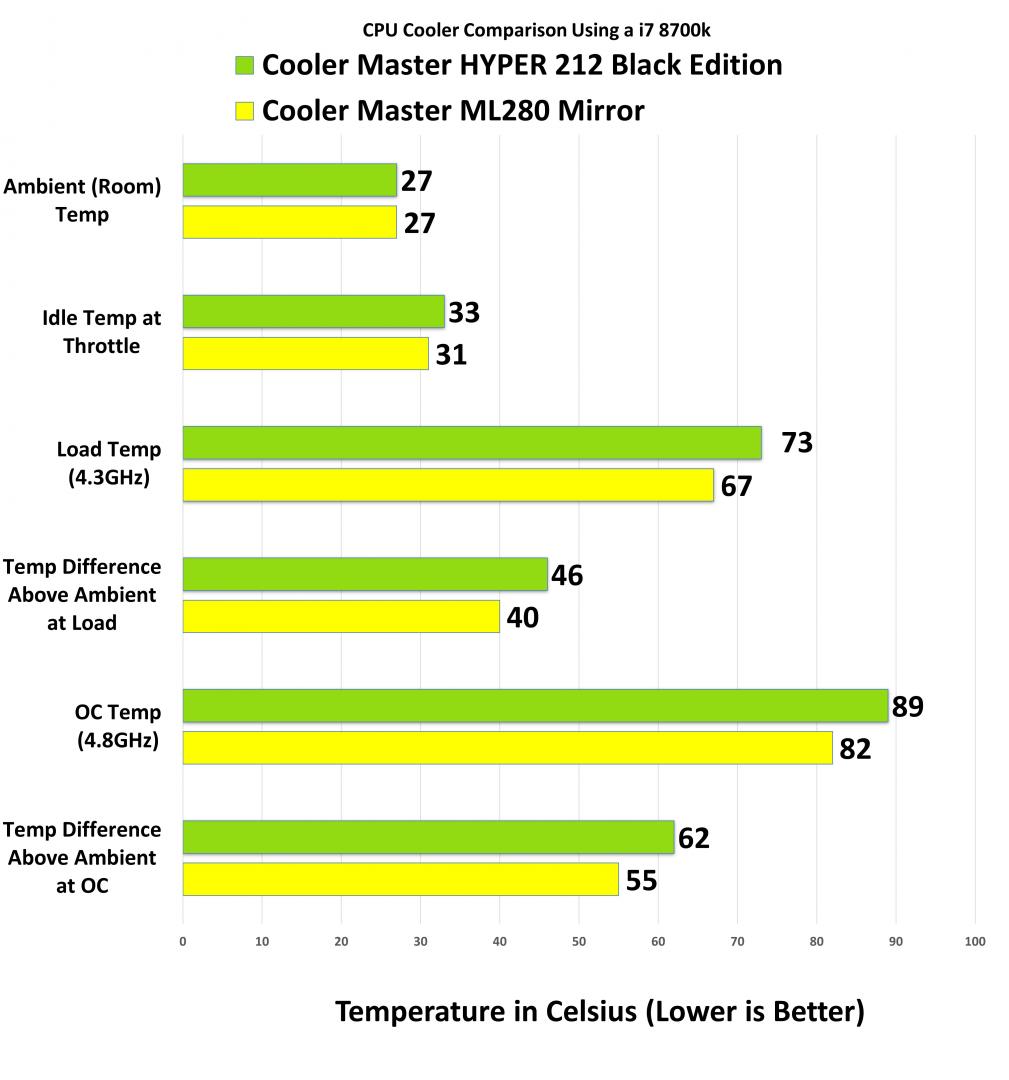
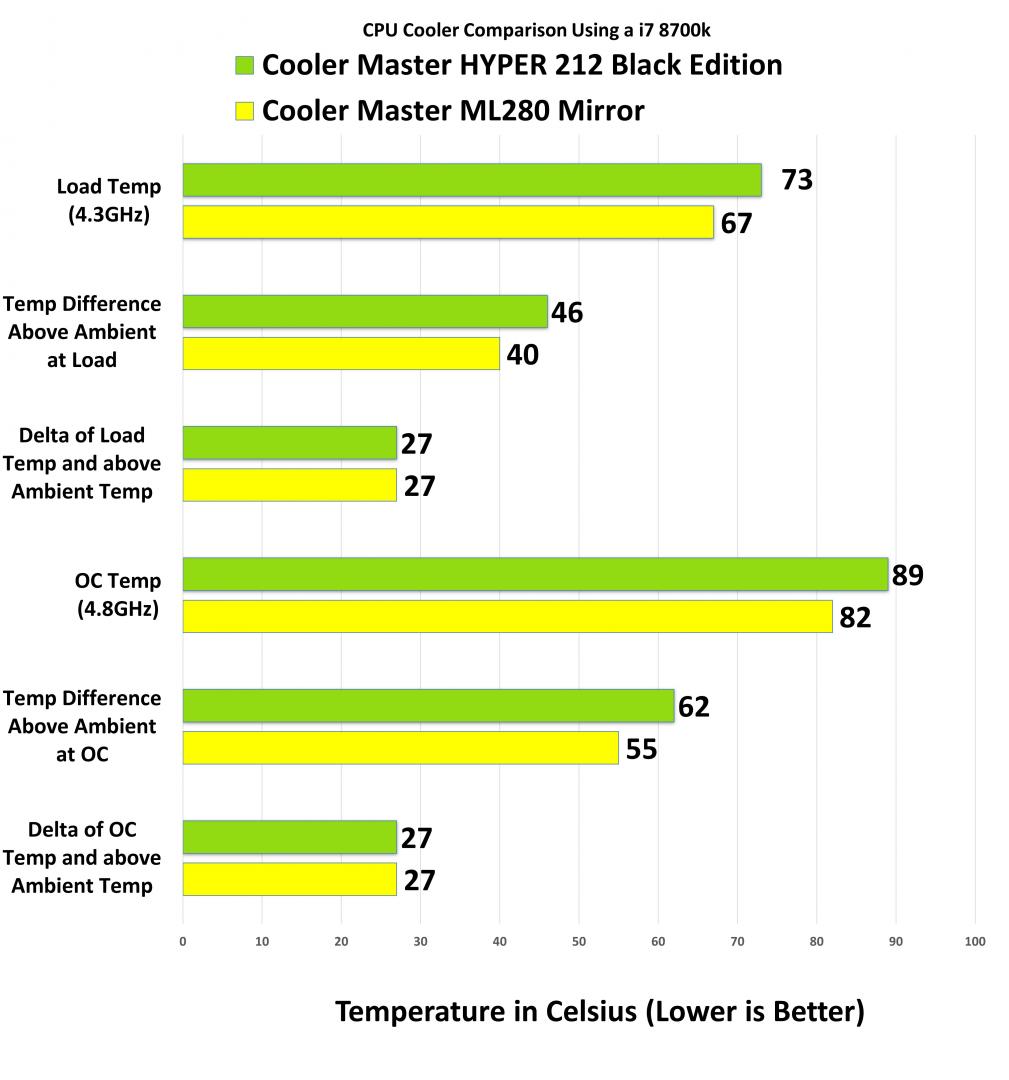
In the charts below, you can see that I tested the ML280 Mirror against another Cooler Master CPU Cooler, HYPER 212, which in its own right is a good air cooler.

Test System and Benchmark Results

  • Temperatures are averaged (last minute) from individual core temperature results monitored by the AIDA64 System Stability Test after 15 minutes of the run time.
  • FPU load average is used to simulate worst-case scenario load levels similar to Intel Burn Test or OCCT.
  • Stock settings have all the default features enabled in the motherboard with BIOS.
  • Overclocked settings were manually set with the adjusted multiplier set at 43 and 48 to gain overclocks at 4.3 and 4.8 GHz.
  • All tests were taken at least three times to get the final result.

The radiator fans and pump were set to the normal setting in the BIOS. This allows the fans and pump to spin up and down based on temperature. An open-air bench was used and an Intel 8700k was the souces of the heat.

Cooler Master Masterliquid ML280 Mirror AIO Testin Results 1


What I am looking at in the chart below (trying to see if this makes sense to me and anyone else…) is what is the maximum temperature a cooler can obtain. My thoughts/theory is this…

We will use the Cooler Master ML280 as an example:

The CPU temp at 4.3GHz load was 67c. This is an increase of 40c above the ambient temperature. The difference between those temps is 27c.

The CPU temp at 4.8GHz load was 82c. This is an increase of 55c above the ambient temperature. The difference between those temps is 27c.

This, in theory, tells me that the maximum heat that can be removed by the cooler is 27c. Let’s say if the CPU temperature got as high as 97c then the amount above ambient should/would be at 70c. Thus a lower number of Delta of Load Temp above Ambient Temp would mean that the cooler has a smaller range of cooling and would hit the maximum heat removal sooner. What has me questioning my theory is that the HYPER 212 also shows 27c. I would really like to hear your thoughts about this.


Cooler Master Masterliquid ML280 Mirror AIO Delta Temp 1

Specifications

Product Number – MLX-D28M-A14PK-R1Exterior
Color – BlackCPU
Socket – LGA2066, LGA2011-v3, LGA2011, LGA1200, LGA1151, LGA1150, LGA1155, LGA1156, AM4, AM3+, AM3, AM2+, AM2, FM2+, FM2, FM1
Radiator Material – Aluminum
Radiator Dimensions – 318 x 140 x 27.2 mm / 10.9 x 4.7 x 1.1 inch
Pump Dimensions – 81.2 x 76 x 57.8 mm / 3.19 x 3 x 2.3 inch
Pump MTTF – 70,000 Hours
Pump Noise Level – < 10 dBA
Power Connector – 3-Pin
Pump Rated Voltage – 12 VDC
Pump Power Consumption – 2.36 W
Fan Dimensions (L x W x H) – 140 x 140 x 25 mm / 5.5 x 5.5 x 1 inch
Fan Quantity – 2 PCS
Fan LED Type – Non-LED
Fan Speed – 650-1400 RPM ± 5%
Fan Airflow – 67 CFM
(Max)Fan Noise Level – 10 – 27 dBA
Fan Pressure – 2.25 mmH₂O
(Max)Fan Life Expectancy – 160,000 Hours
Fan Power Connector – 4-Pin (PWM)
Fan Rated Voltage – 12VDC
Fan Rated Current – 0.15ATDP – 230 W
RAM Clearance – N/A
Warranty – 2 years
Series – MasterLiquidCooler
Type – Liquid Cooler
Radiator Size – 280


Overall the Cooler Master Masterliquid ML2800 Mirror performed rather well. With a 6c below the air cooler at speeds of 4.3 GHz and 7c cooler at 4.8GHz. The Cooler Master Masterliquid ML2800 Mirror would make a great choice if you are looking to take the step for better cooling and lower noise without the hassle of building a custom water cooling system.


Modders-Inc Recommended Hardware Award


Cooler Master Masterliquid ML280 Mirror AIO Amazon Buy MI

Cooler Master Masterliquid ML280 Mirror AIO q? encoding=UTF8&ASIN=B08BV2RHZW&Format= SL160 &ID=AsinImage&MarketPlace=US&ServiceVersion=20070822&WS=1&tag=dewaynecarel 20&language=en USCooler Master Masterliquid ML280 Mirror AIO ir?t=dewaynecarel 20&language=en US&l=li2&o=1&a=B08BV2RHZW


from PC Hardware Reviews – Modders-Inc https://ift.tt/30MgaDh
via IFTTT
Tuesday, 29 September 2020

ADATA XPG Invader Mid-Tower PC Case

https://ift.tt/30iiMJ8

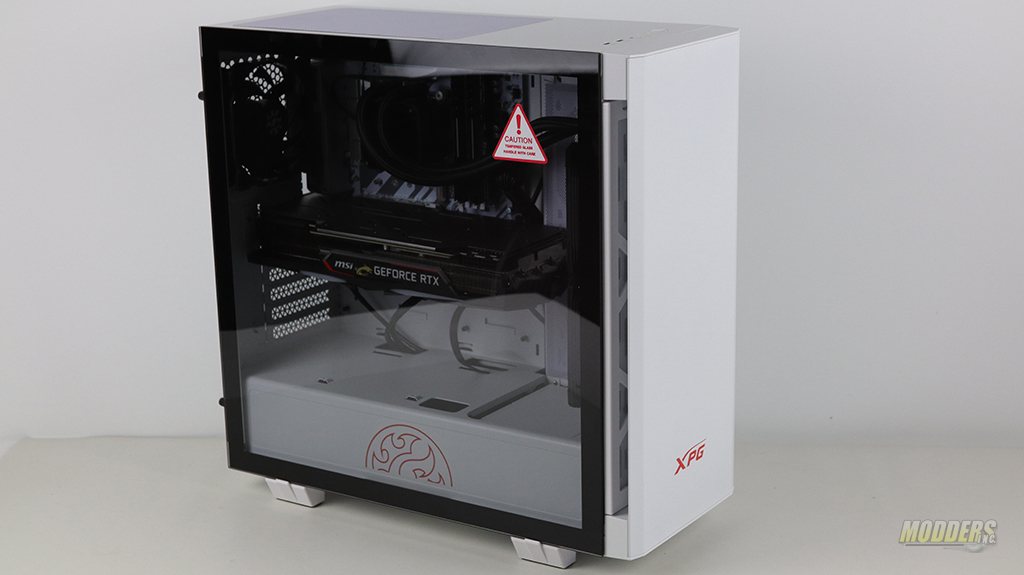
XPG InvaderFinding the right case to show off your internal components is not hard these days. There are dozens of look-alike cases out there on the market. They all have the same basic features but some do stand out with some kind of specific feature that makes them stand out in the crowd. One of these cases I am talking about is the ADATA XPG Invader Mid-Tower. XPG is a Gaming brand by ADATA that offers storage solutions for gamers and other PC Components. The company has just recently started to sell PC cases so their selection is a bit scarce. The two PC cases that XPG offers are BATTLECRUISER and Invader. Both of these cases are similar in structure but also different in features. XPG was kind enough to provide me with their Invader case for a review and of course, that got me excited as I love seeing innovative cases. Invader is a Mid-Tower ATX form factor case that comes in both Black and White finish. This case offers a spacious internal design along with a tempered glass side panel and a lightweight skeleton structure. XPG targets the gamers market and these two cases are a perfect addition to the existing lineup.

Review Sample Provided By: ADATA XPG
Product Name and Website: Invader
Product was given in exchange for work to produce review.

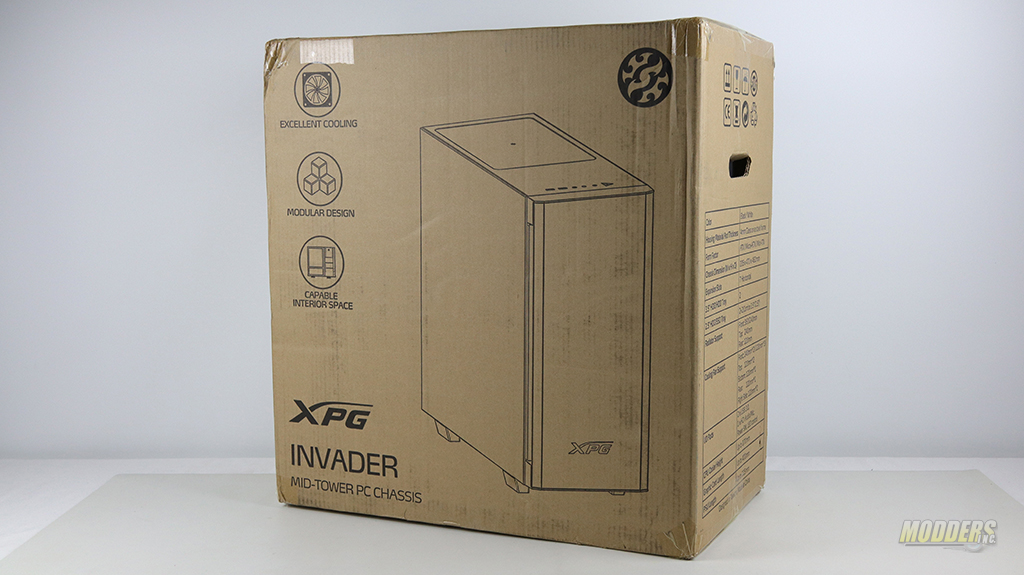
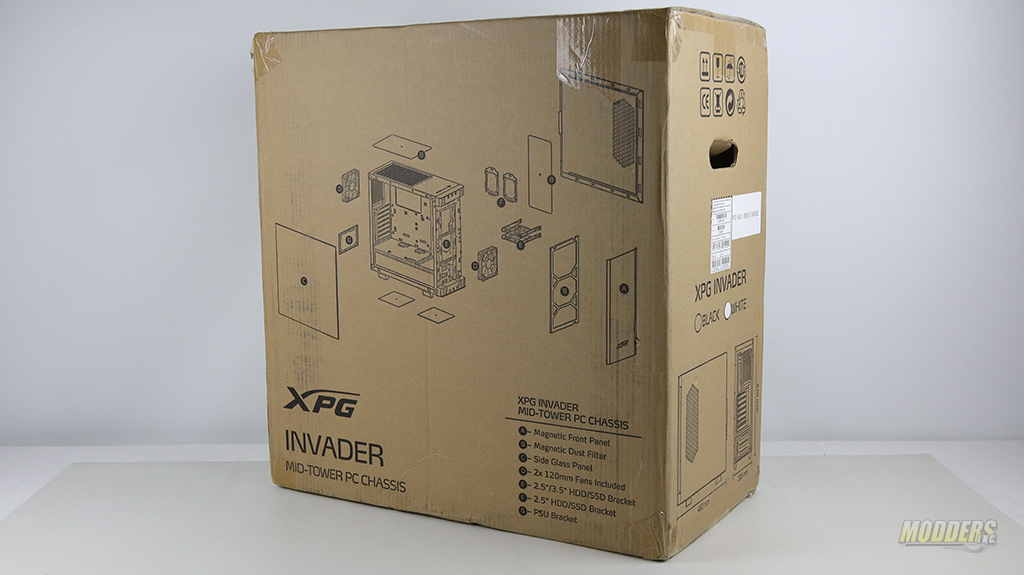
The ADATA XPG Invader is being shipped in a cardboard box. This packaging works and delivers all of the information about the chasse inside. All of the specifications of the XPG Invader are provided on the side of the box while features and detail construction of the case could be seen on either side of the shipping box.

XPG Invader XPG Invader

Just like we see with many other cases, the XPG Invader is being transported with supporting foam inserts on the top and bottom of the case and the case is wrapped in a plastic bag. A plastic bag is almost always used to protects the finish from any accidental scratches.

XPG Invader

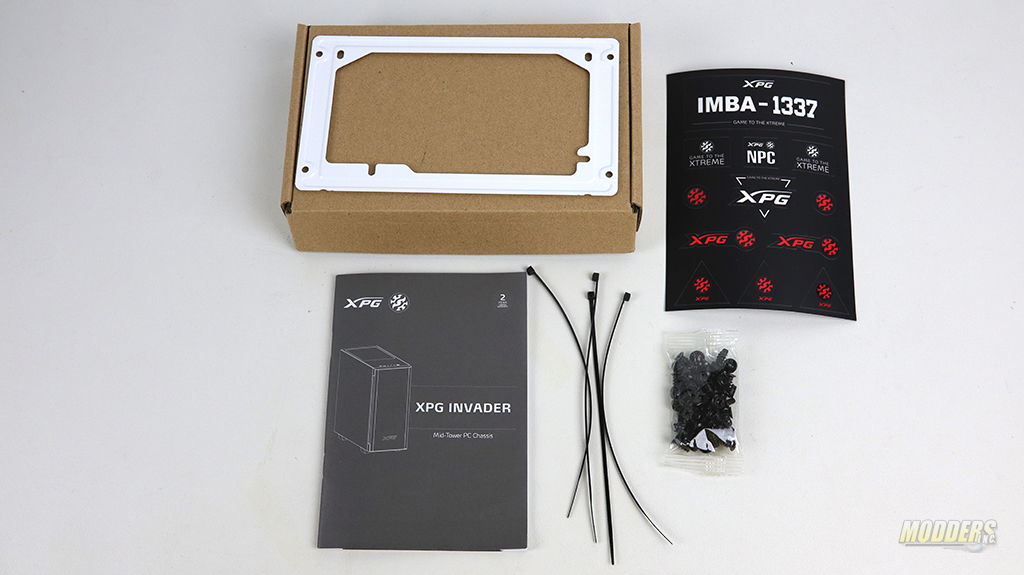
Inside the case, there is a small accessory box. In this box is the power supply mounting plate, bag of screws, four zip ties instruction manual to the case a sheet of stickers.

ADATA XPG Invader Mid-Tower PC Case IMG 3712
XPG Invader

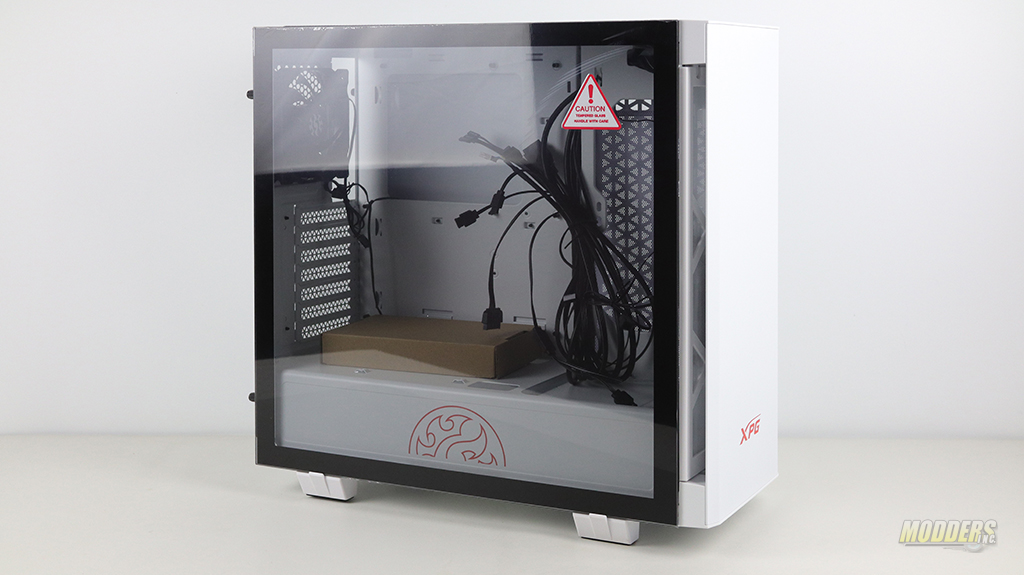
The tempered glass is located on the left side of the case and is protected with a clear thin plastic sheet.

XPG Invader

Technical Specifications

Dimension (H*W*D) 470*206*482mm (18.74*8.11*18.97 inch)
Color Exterior & Interior : Black / White
Material SPCC
Side Panel 4mm Tempered Glass*1 (Left Side)
Form Factor Mini-ITX, Micro-ATX, ATX
3.5″ HDD/HDD tray 2
2.5″ HDD/SSD tray 2+2 (Combo 3.5”/2.5”)
I/O Port USB 3.0 * 2 , Audio*1, HD Audio ( Mic & SW ) * 1 , LED Control * 1

Fan Included

Front 1 x 120mm Fan (1200 rpm)
Rear 1 x 120mm Fan (1200 rpm)

Fan Support

Front 3*120mm , 2*140mm
Top 2*120mm
Rear 1*120mm
Bottom 1*120mm
Right Side 2*120mm

Radiator Support

Front 360 / 240mm
Top 240mm
Right Side 1*240mm
Rear 120mm

Clearance

CPU Cooler Height Limitation 170mm
Graphic Card Length Limitation 400mm
PSU Length Limitation 225mm

Warranty

Warranty 2 years


from PC Hardware Reviews – Modders-Inc https://ift.tt/3jeXjYS
via IFTTT
Tuesday, 22 September 2020

Cooler Master NR200 Mini-ITX Case

https://ift.tt/2EoXHoz

The Cooler Master NR200 Mini-ITX case appears, at first glance, to look like other smaller PC cases but that were it stops. Once you start to look closer you can see the differences from other cases. Once you peek inside you will see a few things as well, but when you start to install your hardware you get a good sense that someone spent some time on the design and layout. I will highlight a few features here, but to get the in-depth look and review please watch the video.


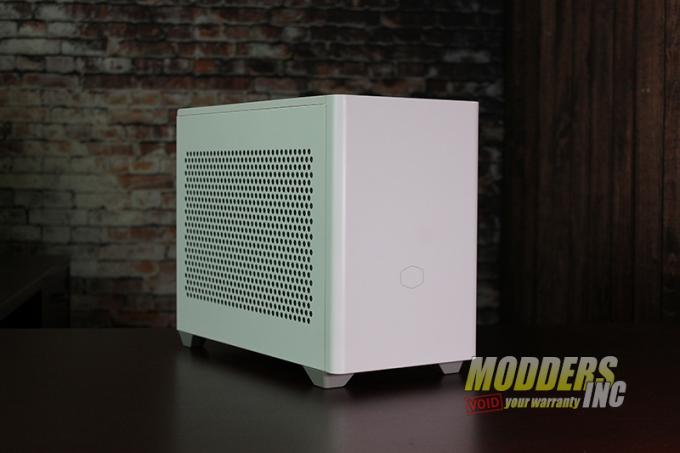
A sleek style is what you see with the NR200. Our review sample came in white, which is a nice change from the standard color we mostly see today. The white is more of a semi-gloss finish that does hide your fingerprints and gives it a more toned-down appearance. Yes, you fill it full of RGB if that is what you like, but I see this case more of a single color and I mean it kind of attitude.

Cooler Master NR200 Mini-ITX Case Cooler Master NR200 White 6828


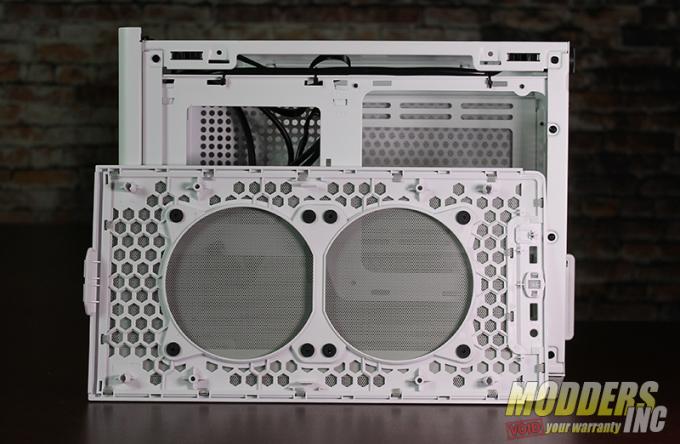
Behind the all-steel (yes I said steel) front bezel you will find a place where you can hide and tuck away two SSD’s and the cables that go along with them.

Cooler Master NR200 Mini-ITX Case Cooler Master NR200 White 6813


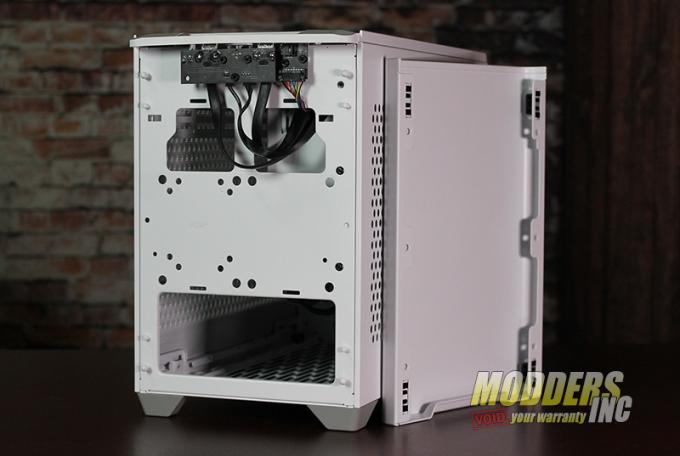
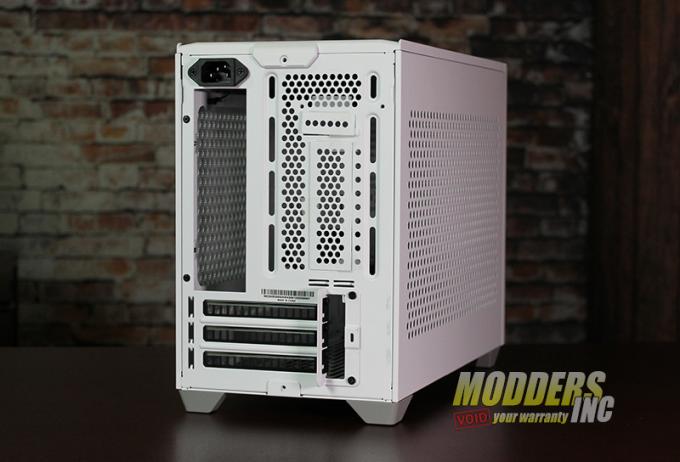
At the rear of the case we see that you get three horizontal slots for your cards… yes a 3080 would fit pretty nice in there. Above that, there are two punch-out panels (which I have clear tape holding them in since I pushed them out BEFORE I took the images…) and a second bracket that installs above the holes will allow you to mount a GPU vertically.

Cooler Master NR200 Mini-ITX Case Cooler Master NR200 White 6820


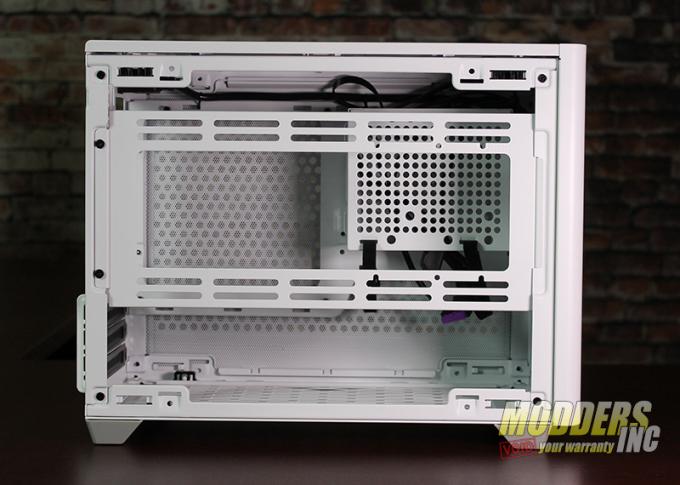
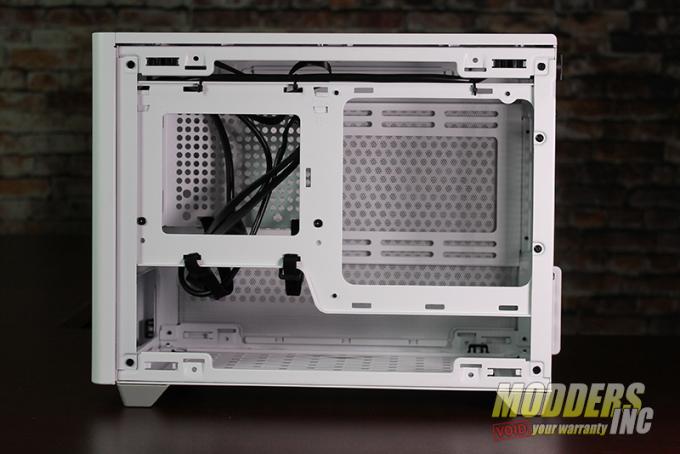
With the right-side panel off we can see that a large horizontal bracket is right in front of you. This a multi-propose bracket that can be used to hold fans, a 3.5 drive, and water cooling radiators. Two small screws can be removed to all you to gain access into the case.

Cooler Master NR200 Mini-ITX Case Cooler Master NR200 White 6832


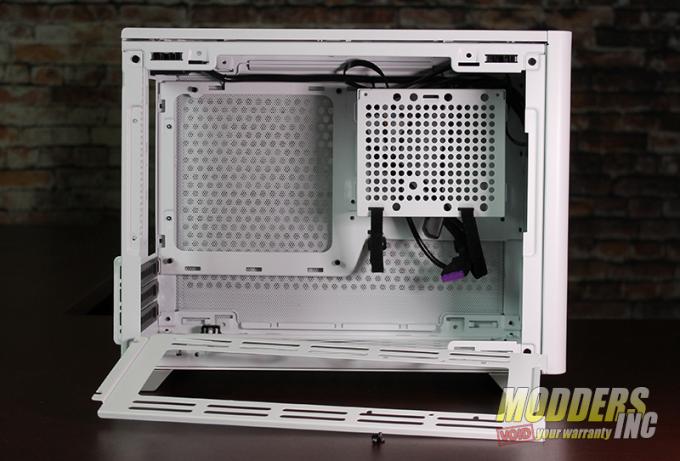
With the side bracket off we can see the locations of where the SFX Power Supply can go – one of two locations – and where you have to mount the m-ITX motherboard.

Cooler Master NR200 Mini-ITX Case Cooler Master NR200 White 6834


Removing the right-side panel just gives us a better look of the locations of all the mounting places. There almost zero space here to run cables. If you have to make sure they are small and flat.

Cooler Master NR200 Mini-ITX Case Cooler Master NR200 White 6842


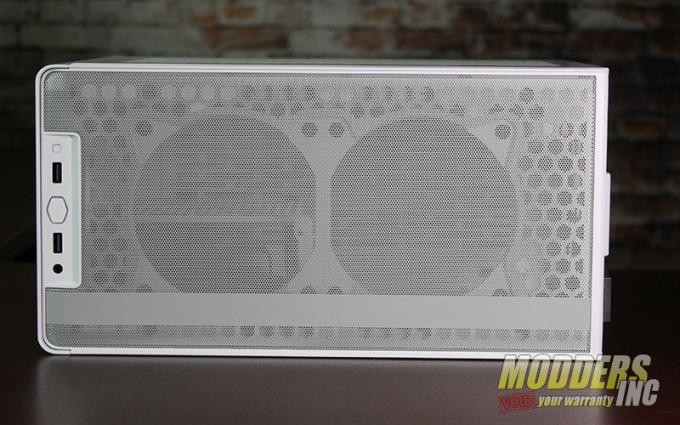
Looking down from the top of the Cooler Master NR200 we can see that a light Grey mesh screen covers the entire top and that the sub-structure, which is plastic, has plenty of holes for maximum airflow.

Cooler Master NR200 Mini-ITX Case Cooler Master NR200 White 6855


Cooler Master NR200 Mini-ITX Case Cooler Master NR200 White 6847


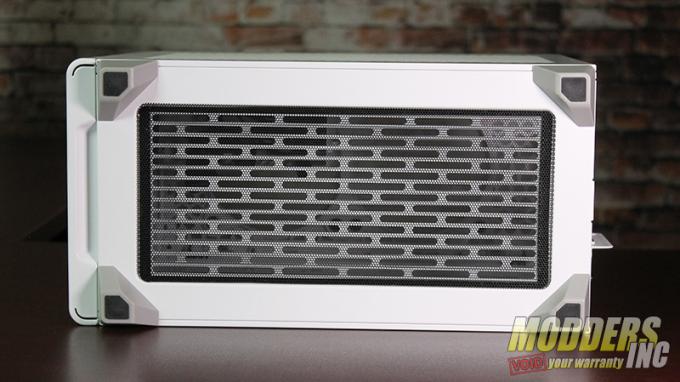
The base of the Cooler Master NR200 is totally removable and uses a black mess screen (white would have been a better choice) to help check unwanted items from going into the Mini-ITX case.

Now if you take a look at the pattern of the air vents you can see that this area can also be used to mount fans and a radiator.  Just in case you don’t like the feet that came on the NR200, Cooler Master has a few others that you can download and 3D Print. Get the files HERE

Cooler Master NR200 Mini-ITX Case Cooler Master NR200 White 6849

Cooler Master NR200 Mini-ITX Case Cooler Master NR200 White 6863

Specifications

Model Number – MCB-NR200-KNNN-S00, MCB-NR200-WNNN-S00
Series -MasterBox Series
Size -Mini ITX
Available Color(s) – Black, White
Materials – Steel, Plastic, Mesh
Dimensions (L x W x H) 376 x 185 x 292mm incl. Protrusions, 360 x 185 x 274mm excl. Protrusions
Volume (exlc. Protrusions) 18.25L
Motherboard Support – Mini DTX, Mini ITX, Max. size: 244 x 226mm
Expansion Slots – 3  5.25″ Drive Bays=0 3.5″ Drive Bays 1 (Max. 2) 2.5″ / 3.5″ Drive Bays (combo) 1 2.5″ Drive Bays 2 (Max. 3)
I/O Panel – 2x USB 3.2 Gen 1 Type-A, 1x 3.5mm Headset Jack (Audio+Mic)
Pre-installed Fans – Top 1x 120mm 650-1800RPM PWM (SickleFlow)
Pre-installed Fans – Front N/A
Pre-installed Fans – Rear 1x 92mm 650-2300RPM PWM (SickleFlow)
Pre-installed Fans – Bottom N/A
Fan Support – Top 2x 120mm
Fan Support – Rear 1x 92mm
Fan Support – Bottom 2x 120mm (recommended slim fans for GPUs wider than 2.5 PCI slots)
Fan Support – Side 2x 120/140mm
Radiator Support – Top N/A
Radiator Support – Rear 92mm (not compatible with vertical GPU installation)
Radiator Support – Bottom 120mm, 240mm, (recommended for custom loops only)
Radiator Support – Side 120mm, 140mm, 240mm, 280mm, (not compatible with vertical GPU installation)
Clearance – CPU Cooler 155mm, 76mm (GPU in vertical position)
Clearance – PSU 130mm
Clearance – GFX L: 330mm (incl. power connector), H: 156mm (incl. power connector), W: 60mm (triple slot)
Dust Filters – Top, Bottom, Left side, Right side
Power Supply Support – SFX, SFX-L
Warranty – 2 years
Weight – 4.6 kg / 10.1 lbs
Note:  Single slot water-cooler GPUs or vertically mounted GPUs are recommended when using bottom radiator position


from PC Hardware Reviews – Modders-Inc https://ift.tt/2ZYzSeK
via IFTTT
Related Posts Plugin for WordPress, Blogger...